
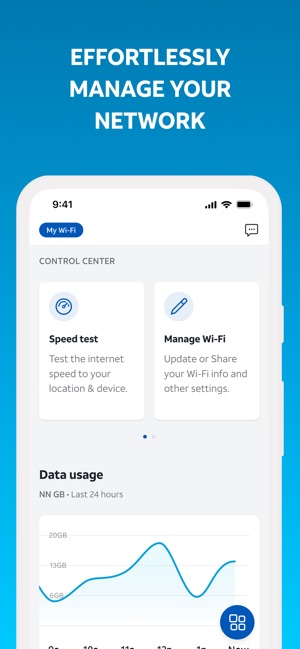
What is Smart Home Manager. Imagine having complete control over your home’s devices right at your fingertips. What if you could manage your lights, security cameras, thermostat, and even your appliances—all from one simple app?
That’s exactly what a Smart Home Manager offers. If you’ve ever felt overwhelmed by juggling multiple apps or wished your home could work smarter for you, this is the solution you’ve been waiting for. Keep reading to discover how a Smart Home Manager can transform your daily routine, save you time, and make your home safer and more comfortable.
Smart Home Manager Overview
Smart Home Manager is a tool designed to simplify managing devices in your home. It helps control and monitor smart devices from one app. This makes your home more connected and easier to handle.
Using Smart Home Manager, you can see all your devices in one place. It shows their status and lets you adjust settings quickly. This saves time and reduces the need for multiple apps.
What Is Smart Home Manager?
Smart Home Manager is an app or software platform. It connects to smart devices like lights, cameras, and thermostats. It lets users control these devices through a single interface.
- Device overview and control
- Network management and security
- Parental controls and usage monitoring
- Easy setup and customization
How Smart Home Manager Works
The app links to your home Wi-Fi network. It detects all connected smart devices automatically. You can name, group, or schedule these devices from the app.
- Improves home security
- Enhances device performance
- Reduces energy usage
- Makes device management simple
Key Features Of Smart Home Manager
The Smart Home Manager brings together multiple functions to give you full control over your connected devices. It simplifies your daily routines by making device management intuitive and centralized. Understanding its key features helps you make the most out of your smart home setup.
Device Connectivity
One of the standout features is seamless device connectivity. You can link all your smart devices—lights, thermostats, cameras, and more—into a single app. This means no more switching between multiple apps to control your home.
Imagine adjusting your living room lights and checking your security camera feed without leaving one interface. That kind of convenience saves time and reduces frustration.
Energy Monitoring
Energy monitoring helps you track power usage across your devices in real-time. This feature shows which appliances consume the most energy, so you can make smarter choices to lower your bills.
Have you noticed certain times when your electricity spikes unexpectedly? With this tool, you get clear insights that help you adjust usage and even spot faulty devices early.
Security Enhancements
Security is a top priority, and the Smart Home Manager boosts it by integrating alarms, cameras, and sensors into one platform. You get instant alerts if something unusual happens at home.
For example, if a door opens unexpectedly, your phone notifies you immediately. This quick response can prevent potential break-ins or accidents.
Voice Control Integration
Voice control makes managing your smart home hands-free and effortless. The manager works smoothly with popular assistants like Alexa and Google Assistant.
You can ask your assistant to turn off the lights, adjust the thermostat, or lock the doors without lifting a finger. This adds a layer of ease, especially when you’re busy or away from home.
Benefits Of Using A Smart Home Manager
A Smart Home Manager brings many benefits to daily life. It simplifies home control and makes living easier. This system connects devices so they work together smoothly. Managing your home becomes faster and less stressful. It helps save money and protects your family.
Convenience And Automation
A Smart Home Manager lets you control devices from one place. Adjust lights, temperature, or music with a single app. Set schedules to automate tasks. For example, lights turn on at sunset or the heater starts before you arrive. This reduces manual work and saves time.
Improved Energy Efficiency
Smart Home Managers help lower energy use. They track how much power appliances consume. You can spot waste and change habits easily. Automatic controls adjust heating, cooling, and lighting based on your routines. This saves money on bills and helps the environment.
Enhanced Home Security
Security features keep your home safe. The system monitors doors, windows, and cameras. It sends alerts if something unusual happens. You can check your home remotely anytime. This peace of mind protects your family and belongings effectively.
Popular Smart Home Manager Platforms
Choosing the right smart home manager platform can shape how smoothly your devices work together. These platforms act as the central hub, connecting everything from lights to security cameras. Understanding the popular options helps you pick one that fits your lifestyle and tech preferences.
Google Home
Google Home offers a user-friendly experience powered by Google Assistant. You can control devices with simple voice commands or through the Google Home app. It works well with many third-party devices, making it easy to add new gadgets over time.
One advantage is its strong search capabilities, so you get quick answers and smart suggestions. Are you someone who already uses Google services daily? If yes, Google Home might feel like a natural fit.
Amazon Alexa
Amazon Alexa stands out for its extensive device compatibility and vast skill library. You can customize routines that automate multiple tasks with a single voice command. Alexa’s ability to integrate with smart plugs, locks, and even home appliances adds real convenience.
Imagine waking up and having Alexa start your coffee maker and turn on the lights automatically. Alexa’s ecosystem encourages hands-free control, perfect if you want to manage your home while multitasking.
Apple Homekit
Apple HomeKit appeals to users deeply invested in the Apple ecosystem. It provides a secure and privacy-focused platform for managing smart devices. The Home app and Siri voice commands let you easily control compatible accessories from your iPhone or iPad.
Have you noticed how seamless Apple products work together? HomeKit continues this trend, especially if you prioritize data privacy and want your smart home devices tightly integrated with your Apple gear.
Samsung Smartthings
Samsung SmartThings offers broad compatibility and powerful automation options. It supports a wide range of devices, including those not limited to Samsung products. The SmartThings app lets you create custom scenes and control your home remotely with ease.
Think about managing your lights, thermostat, and security system all in one place without juggling multiple apps. If you value flexibility and want to mix brands, SmartThings provides a versatile platform for your smart home setup.
Setting Up Your Smart Home Manager
Setting up your Smart Home Manager is the key to gaining full control over your connected devices. It’s not just about linking gadgets; it’s about creating a seamless experience that fits your lifestyle. Let’s break down how you can get started efficiently and customize your setup to match your unique needs.
Choosing Compatible Devices
Start by identifying devices that work well with your Smart Home Manager. Compatibility is crucial to avoid frustration and ensure smooth operation. Check if your manager supports popular brands like Philips Hue, Nest, or Ring before buying any new gadgets.
Think about the devices you use daily—lights, thermostats, security cameras—and verify their compatibility. Sometimes, even devices with the same name can have different versions, so double-check the model numbers. Have you ever bought a device only to find it won’t connect? Avoid that by doing a quick compatibility scan first.
Configuring Network Settings
Your Smart Home Manager relies heavily on a stable network. Make sure your Wi-Fi is strong and secure, as weak signals can cause devices to disconnect frequently. Use a dedicated network for your smart devices if possible, to keep things running smoothly.
Set up your network with clear names and strong passwords to prevent unauthorized access. Don’t forget to update your router’s firmware regularly to keep security tight. Have you noticed how a simple router reset can fix many connectivity issues? Try it if things get glitchy.
Customizing User Preferences
Once devices are connected and your network is solid, personalize your Smart Home Manager settings. Adjust notification preferences so you get alerts only for what matters most, like security breaches or important reminders. You can also set schedules for lights or heating based on your daily routine.
Consider adding different user profiles if your family members use the system. This way, everyone can have tailored control without messing up others’ settings. How would having a manager that adapts to each person’s preferences improve your home’s comfort?
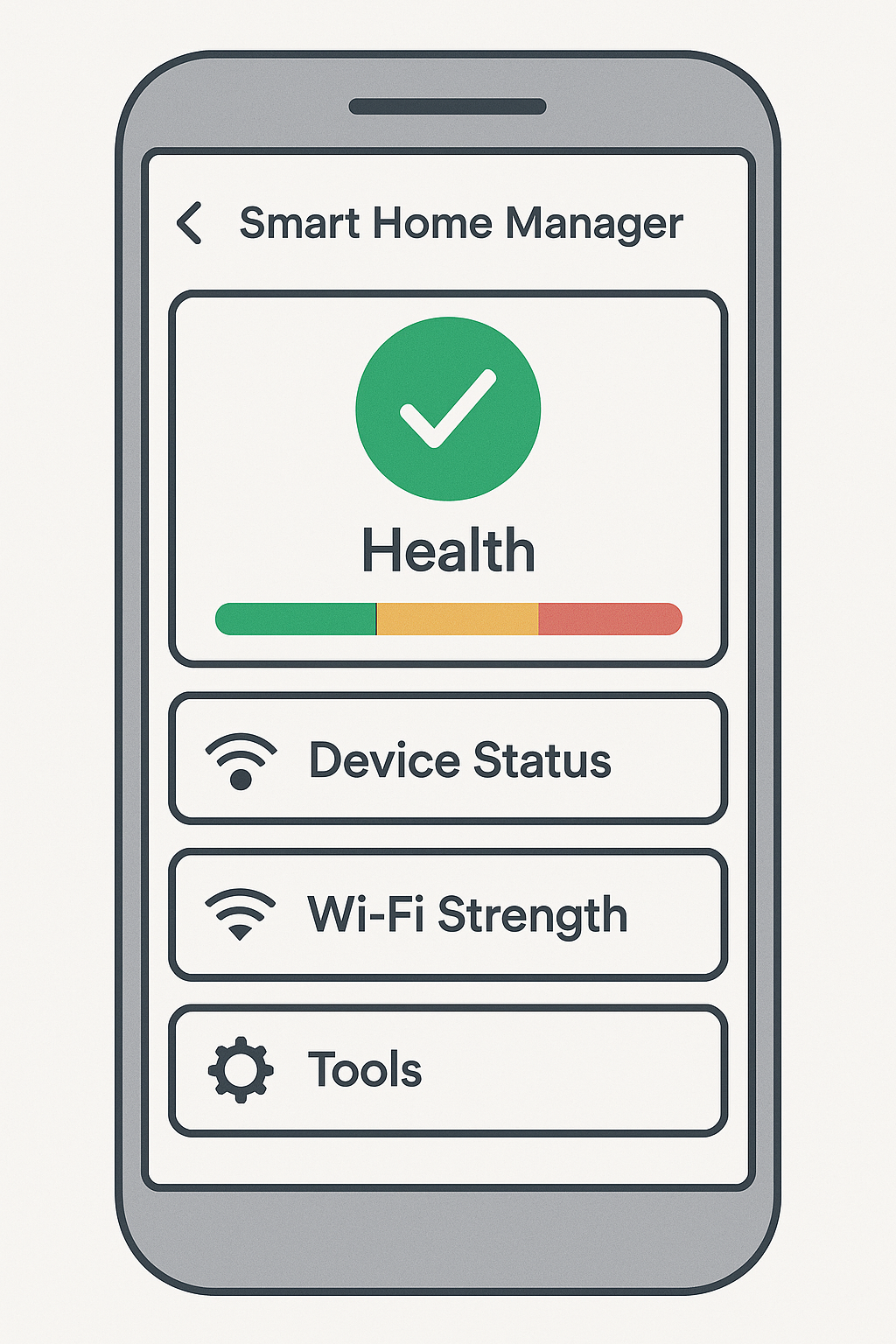
Troubleshooting Common Issues
Smart Home Manager helps control many devices from one place. Sometimes, it may face problems that stop it from working well. Troubleshooting common issues helps fix these problems quickly. Understanding typical issues saves time and keeps your smart home running smoothly.
Connectivity Problems
Smart Home Manager relies on a strong internet connection. Weak Wi-Fi or network drops cause devices to disconnect. Restart your router and check the signal strength near devices. Use a Wi-Fi extender to improve coverage in weak areas.
Make sure your devices connect to the right network. Avoid too many devices on one network, which can slow it down. Reset devices if they do not respond or reconnect automatically.
Device Compatibility
Not all smart home devices work with every manager. Check if your device supports the Smart Home Manager before adding it. Use the manufacturer’s app to confirm compatibility.
Some devices need specific settings or updates to connect. Follow instructions carefully during setup. Remove any device that causes repeated errors and try reconnecting it.
Software Updates
Software updates fix bugs and improve performance. Check for updates regularly in the Smart Home Manager app. Update your devices’ firmware to ensure they work well together.
Failing to update can cause crashes or missing features. Enable automatic updates if possible. Restart the manager and devices after updates to apply changes correctly.
Future Of Smart Home Technology
The future of smart home technology promises to change how we live. It will make homes more responsive, efficient, and easy to manage. Smart Home Managers will play a key role in connecting devices and simplifying control. New advancements will bring exciting features that improve daily life.
Ai And Machine Learning Innovations
Artificial intelligence will help smart homes learn user habits. Devices will adjust settings automatically for comfort and energy savings. Machine learning will predict needs, such as turning lights on before you enter a room. This means homes will become smarter and more intuitive over time.
Increased Interoperability
More devices will work together smoothly without extra setup. Different brands and systems will connect through unified platforms. This lets users control all smart devices from one place. Interoperability will reduce complexity and improve user experience.
Sustainability And Smart Living
Smart homes will focus on saving energy and reducing waste. Sensors and smart meters will optimize power and water use. Sustainable living will become easier with automatic adjustments and alerts. These features will help lower bills and protect the environment.


Frequently Asked Questions
What Is A Smart Home Manager?
A Smart Home Manager is a software or app that controls and monitors smart devices. It centralizes device management, enhances security, and optimizes energy use. It simplifies automation, allowing users to manage lights, thermostats, cameras, and more from one platform.
How Does Smart Home Manager Improve Home Security?
Smart Home Manager enhances security by integrating cameras, alarms, and sensors. It provides real-time alerts and remote monitoring. Users can automate security protocols, such as locking doors and activating alarms, ensuring safer homes through centralized control.
Can Smart Home Manager Save Energy And Reduce Costs?
Yes, Smart Home Manager saves energy by optimizing device usage. It schedules lighting and heating efficiently and monitors consumption. This reduces electricity waste and lowers utility bills while maintaining comfort and convenience.
Which Devices Work With Smart Home Manager?
Smart Home Manager supports devices like smart lights, thermostats, cameras, locks, and voice assistants. Compatibility varies by platform but generally covers popular brands to ensure seamless integration and easy control across multiple devices.
Conclusion
Smart Home Manager helps you control your devices easily. It saves time and energy every day. You can check and fix problems quickly. The app keeps your home safe and efficient. Managing your smart devices becomes simple and clear. Everyone can enjoy a connected and comfortable home.
Try using a Smart Home Manager for better living. It makes daily tasks less stressful and more fun. A smart home feels more peaceful and organized.