
How to Secure Smart Home Devices. Imagine walking into your home and controlling the lights, thermostat, and even your security cameras with just a tap on your phone. Smart home devices make life easier and more convenient.
But have you ever stopped to think about how safe these gadgets really are? If someone hacks into your smart devices, it could put your privacy and safety at risk. You might feel overwhelmed trying to figure out how to protect your smart home.
Don’t worry—this guide will show you simple, effective steps to secure your devices and keep your home safe. Keep reading to discover how easy it is to take control of your smart home security.
Understanding Smart Home Vulnerabilities
Smart home devices make life easier but can also open doors to security risks. Understanding where these vulnerabilities lie helps you protect your home and privacy. Let’s break down the common weak spots that hackers often target.
Weak Or Default Passwords
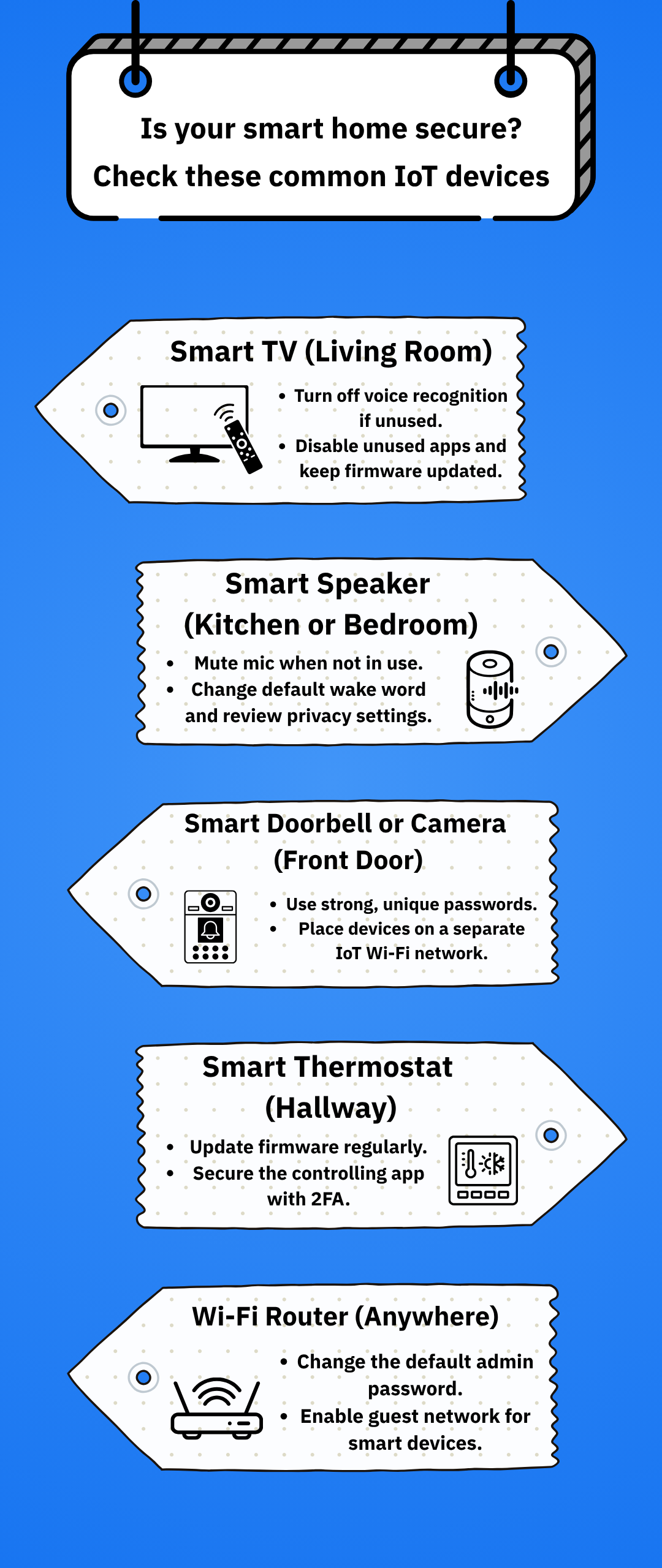
Many smart devices come with default passwords that users forget to change. These passwords are easy for hackers to guess or find online. You should always create strong, unique passwords for each device to block unauthorized access.
Unsecured Wi-fi Networks
Your smart devices rely on Wi-Fi to communicate. If your Wi-Fi network isn’t secured with strong encryption, attackers can intercept data or control your devices remotely. Using WPA3 encryption and a complex router password can keep your network safer.
Outdated Firmware And Software
Device manufacturers often release updates to fix security flaws. Ignoring these updates leaves your devices exposed to known attacks. Regularly checking for and installing updates keeps your devices protected from new threats.
Insecure Communication Protocols
Some smart devices use weak or unencrypted communication protocols. This vulnerability allows hackers to intercept or manipulate the data your devices send and receive. Ensuring your devices use secure protocols like HTTPS or encrypted Zigbee can reduce this risk.
Privacy Risks From Data Collection
Smart devices collect a lot of personal data, sometimes more than you realize. If this data is stored improperly or shared without your consent, it can lead to privacy breaches. Reviewing privacy settings and limiting data sharing helps you keep control over your information.
Lack Of Network Segmentation
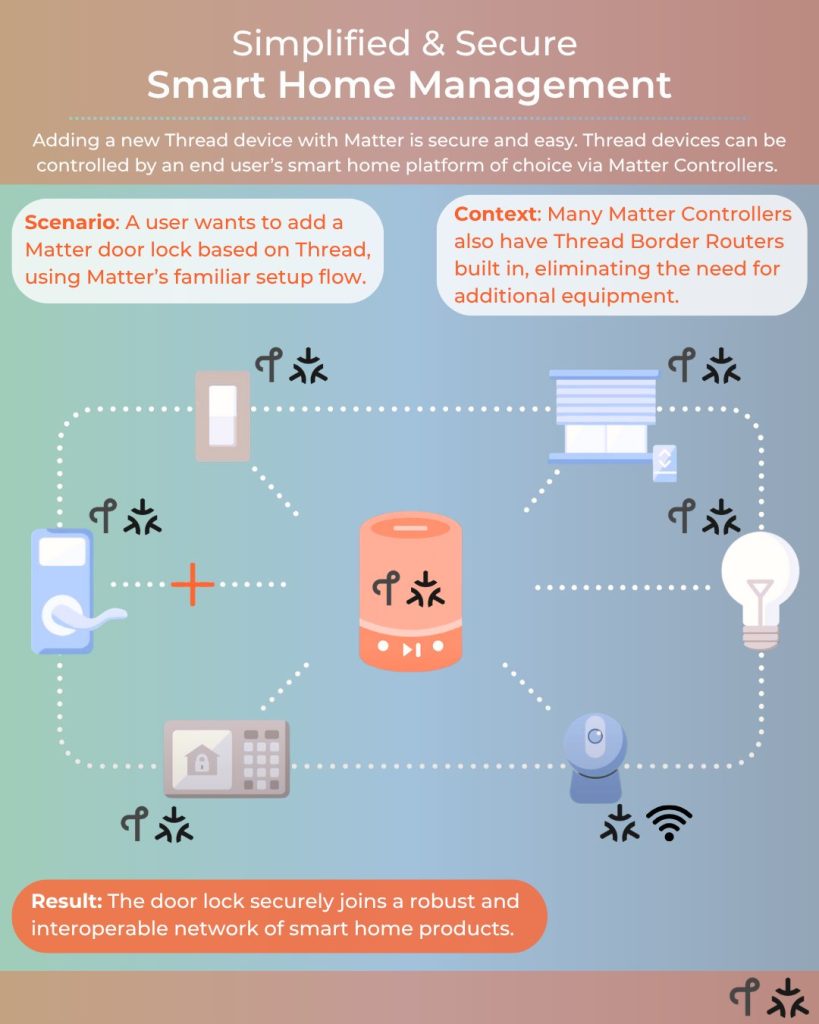
Many people connect all smart devices to the same network as their computers and phones. This setup allows an attacker who breaches one device to access others easily. Creating a separate network for smart devices adds a layer of protection to your main devices.
Choosing Secure Devices
Choosing secure devices is the first and most crucial step to protecting your smart home. Not all smart devices are built with security in mind, so picking the right ones can save you from future headaches. You want products that guard your privacy and resist hacking attempts right from the start.
Researching Manufacturers
Look beyond the product specs and dig into the company behind the device. Trusted manufacturers often have a history of releasing regular security updates and quickly fixing vulnerabilities.
Check if the brand is known for transparency about their security measures. Do they publish security whitepapers or offer clear guidance on safe device setup?
Remember, smaller or lesser-known brands may offer cheaper options but often lack strong security support. Ask yourself: would you trust this company with your home’s digital safety?
Reading Security Reviews
Before buying, read reviews that focus specifically on security. These reviews highlight any past breaches, update frequency, and how the company handled issues.
Look for feedback from cybersecurity experts, not just user ratings. Their insights reveal vulnerabilities you might miss, like weak default passwords or unencrypted data transfer.
Don’t rely solely on the manufacturer’s claims. Real-world experience shared by other users can expose hidden risks and help you make an informed choice.
Implementing Strong Passwords
Implementing strong passwords is crucial for protecting smart home devices. Weak passwords allow hackers easy access to your network. A strong password acts as the first line of defense. It keeps your devices safe from unauthorized use and privacy breaches.
Creating Unique Passwords
Each smart device requires a unique password. Avoid using common words or simple patterns. Combine uppercase and lowercase letters, numbers, and symbols. Passwords should have at least 12 characters for better security.
Do not reuse passwords from other accounts. Unique passwords reduce the risk of multiple devices getting hacked at once. Change default passwords immediately after setting up a new device.
Using Password Managers
Password managers help store and organize complex passwords. They generate strong, random passwords that are hard to guess. You only need to remember one master password to access all saved passwords.
This tool prevents using weak or repeated passwords. It saves time and reduces the chance of forgetting passwords. Choose a reputable password manager with strong encryption for safety.
Securing Your Network
Securing your network is the foundation of protecting all your smart home devices. If your Wi-Fi network is vulnerable, every connected gadget becomes an easy target for hackers. Strengthening your network safeguards your personal information and keeps your devices running smoothly.
Setting Up A Guest Network
Creating a guest network separates your smart devices from your main devices like phones and laptops. This adds an extra layer of security by isolating potential threats.
Most modern routers allow you to set up a guest network easily. Simply access your router’s settings, enable the guest network option, and give it a strong, unique password.
Think about who really needs access to your main network. Do your guests or smart devices need the same level of access? Limiting access can prevent unwanted intrusions.
Updating Router Firmware
Router manufacturers regularly release firmware updates to fix security holes and improve performance. Skipping these updates leaves your network exposed to known vulnerabilities.
Check your router settings often for available firmware updates. You can usually enable automatic updates to make this process hassle-free.
When was the last time you updated your router? If it’s been a while, take a few minutes now to check. This simple action can block many common cyberattacks targeting smart homes.
Enabling Two-factor Authentication
Enabling two-factor authentication (2FA) adds an extra layer of protection to your smart home devices. It requires you to provide two forms of identification before gaining access, making it much harder for intruders to break in. This simple step can drastically reduce the risk of unauthorized access, even if your password is compromised.
What Is Two-factor Authentication?
Two-factor authentication means you need two different ways to prove who you are. Usually, this involves something you know, like a password, and something you have, such as a code sent to your phone. This extra step ensures that even if someone steals your password, they still can’t get into your smart home system without the second form of verification.
How To Enable 2fa On Your Smart Devices
Start by checking the settings of each smart home device or app you use. Look for security or account options where 2FA can be turned on. Many popular devices like smart cameras, thermostats, and voice assistants offer this feature.
- Open the device’s app or website.
- Navigate to the security or account settings.
- Find and activate two-factor authentication.
- Choose your preferred verification method (text message, authenticator app, email).
If you’ve never done this before, it might take a few minutes, but it’s worth it for the added peace of mind.
Choosing The Right Verification Method
Not all 2FA methods are equally secure. Text message codes are common but can be vulnerable to SIM swapping attacks. Authenticator apps like Google Authenticator or Authy generate codes on your phone and are generally safer.
Think about convenience too. Would you prefer receiving a quick text or opening an app each time you log in? Your choice should balance security and ease of use, so you stick with it.
Common Challenges And How To Overcome Them
Sometimes, enabling 2FA feels like an extra hassle, especially if you access devices frequently. But consider this: would you rather spend a few seconds extra logging in or deal with the consequences of a hacked smart home?
Keep backup codes in a secure place in case you lose access to your phone. Also, make sure your recovery options are updated to avoid lockouts. These small preparations can save you from big headaches.
Regular Software Updates
Regular software updates are vital for keeping smart home devices safe. These updates fix security holes and improve device performance. Without updates, hackers find it easier to break in. Staying current with software changes helps protect your privacy and data.
Automating Updates
Most smart devices allow automatic updates. Turn this feature on to avoid missing important patches. Automatic updates install new software without your help. This saves time and reduces the risk of running outdated software. Check your device settings to enable this option.
Checking For Firmware Patches
Sometimes devices need manual firmware updates. These patches fix bugs and security flaws. Regularly check the manufacturer’s website or app for new firmware. Follow instructions carefully to update your device safely. Keeping firmware current helps block new threats and keeps devices running well.
Monitoring Device Activity
Monitoring device activity plays a vital role in keeping smart home devices secure. Tracking how devices behave helps detect unusual actions quickly. This makes it easier to prevent possible breaches and keep your home safe.
Regular observation of device activity allows you to spot problems early. Understanding normal patterns helps identify when something goes wrong. This process strengthens your smart home security continuously.
Using Network Monitoring Tools
Network monitoring tools show all devices connected to your home network. They track data flow and alert you about new or unknown devices. These tools help you watch device connections in real time.
Some popular tools provide easy dashboards for quick checks. They list device names, IP addresses, and activity levels. You can set alerts for unusual spikes or unknown access attempts.
Using these tools, you can:
- See which devices are online
- Track data sent and received
- Identify unknown devices quickly
- Receive alerts for suspicious activity
Identifying Suspicious Behavior
Suspicious behavior often looks like unexpected device activity. This includes devices connecting at odd hours or sending large amounts of data. Sudden changes in device behavior may signal a security issue.
Watch for these signs:
- Devices accessing the network without your knowledge
- Unusual data transfers or spikes
- Repeated failed login attempts
- Devices behaving differently from their normal patterns
Early detection helps you take action fast. Disconnect suspicious devices and change passwords. Regular checks reduce the risk of unauthorized access.
Limiting Data Sharing
Limiting data sharing reduces the risk of exposing personal information. Smart home devices often collect and share data with third parties. Controlling this data flow helps protect privacy and enhances security. Simple steps can greatly limit the amount of information shared.
Adjusting Privacy Settings
Start by reviewing the privacy settings on each device. Most devices let users control what data is collected. Turn off data collection options that are not essential.
Check the app linked to your device. It often contains privacy controls too. Set permissions to only what the device needs to function.
- Limit location tracking
- Disable voice recording storage
- Block access to contacts or calendars
Save changes after adjusting settings. Regularly revisit these settings for updates.
Disabling Unnecessary Features
Many smart devices come with features that share data continuously. Identify and disable features that add no value.
Examples include:
- Automatic data syncing
- Third-party integrations
- Usage analytics
Disabling these stops extra data from leaving your home network. It also reduces chances of data leaks or breaches. Keep only the features you truly need active.
Educating Family Members
Educating family members is key to keeping smart home devices safe. Everyone in the household should know basic security habits. This helps prevent mistakes that could lead to hacking or privacy breaches.
Teaching simple rules makes technology safer for all users. Children and adults alike benefit from understanding risks and how to avoid them. Clear and easy explanations encourage good habits at home.
Promoting Safe Internet Practices
Start with teaching safe internet use. Explain why strong passwords matter. Show how to create passwords with letters, numbers, and symbols.
Tell family members not to share passwords or write them down where others can see. Remind them to log out of apps after use. Avoid clicking unknown links or downloading files from strangers.
- Use secure Wi-Fi with a strong password
- Turn off devices when not in use
- Keep software and apps updated regularly
These simple steps lower the chance of online attacks. Safe internet habits protect the entire home network.
Understanding Device Permissions
Explain what device permissions mean. Many smart devices ask for access to cameras, microphones, or location data. Teach family members to check these permissions carefully.
Only allow permissions that are needed for the device to work. Disable any extra access that seems unnecessary. This reduces the risk of spying or data theft.
- Review permissions in device settings regularly
- Ask if unsure about a permission request
- Limit access to sensitive features like cameras and microphones
Understanding permissions helps everyone control what information smart devices can access. This awareness is a strong defense against privacy risks.

Responding To Security Breaches
Responding quickly and effectively to security breaches in your smart home devices is crucial to protect your privacy and prevent further damage. Knowing how to spot a compromised device and taking immediate steps to restore its security can make all the difference. Let’s look at how you can tackle these challenges head-on.
Identifying Compromised Devices
Start by watching for unusual device behavior. Has your smart thermostat changed settings on its own, or is your security camera streaming without your command? These could be red flags.
Check your network for unknown devices. Many routers let you see what’s connected. If you notice devices you don’t recognize, that’s a strong sign something’s wrong.
Look out for alerts from your smart home app or device manufacturer. These notifications often warn you about suspicious activity or software issues.
Restoring Device Security
First, disconnect compromised devices from your network to stop ongoing unauthorized access.
Reset the device to factory settings. This wipes out any malware or unauthorized configurations. It’s like giving your device a fresh start.
Update the firmware immediately after resetting. Manufacturers release updates to patch security holes, so staying current is essential.
Change all related passwords and enable two-factor authentication if your device supports it. Strong, unique passwords help keep hackers out.
Finally, monitor your devices closely after restoring them. Keep an eye on their behavior and network activity to catch any signs of trouble early.
Frequently Asked Questions
How Can I Protect My Smart Home Devices From Hackers?
Use strong, unique passwords for each device. Enable two-factor authentication when possible. Keep device firmware updated regularly to fix vulnerabilities.
What Is The Best Way To Secure A Smart Home Network?
Use a separate Wi-Fi network for smart devices. Enable WPA3 encryption. Regularly update your router’s firmware and disable unused services.
Should I Disable Features On Smart Devices For Security?
Yes, disable unused features to reduce attack surfaces. Turn off remote access if not needed. Limit device permissions to only necessary functions.
How Often Should I Update Smart Home Device Software?
Update device software as soon as updates are available. Regular updates patch security flaws and improve device performance. Set automatic updates if supported.
Conclusion
Securing smart home devices keeps your data and privacy safe. Change default passwords to strong, unique ones. Regularly update device software to fix security flaws. Use a separate network for your smart devices. Turn off features you don’t use to reduce risks.
Stay aware of new security tips and threats. Small steps make a big difference in protection. Your smart home should be smart and safe. Take action today to protect your digital space.