
How to Create a Smart Home. Imagine walking into your home and having the lights turn on just the way you like. Your favorite music starts playing without you lifting a finger.
Everything around you feels connected, smart, and effortless. You can make this happen. Creating a smart home isn’t as complicated or expensive as it sounds. In fact, with a few simple steps, you can transform your living space into a place that works for you—making life easier, safer, and more comfortable.
Ready to discover how? Keep reading, and you’ll learn exactly what you need to know to get started today.

Choosing The Right Smart Devices
Choosing the right smart devices is key to building a smart home that truly fits your lifestyle. It’s not just about buying the latest gadgets; it’s about selecting devices that work well together and bring real convenience to your daily routine. Think about what matters most to you—whether that’s saving energy, enhancing security, or making your home more comfortable—and let that guide your choices.
Smart Lighting Solutions
Smart lighting can completely change how you experience your home. You can set schedules, adjust brightness, and even change colors to match your mood or time of day. Look for bulbs or switches compatible with your preferred smart home system to avoid frustration.
Brands like Philips Hue and LIFX offer great options with easy setup and plenty of customization. Have you ever tried waking up to gradually brightening lights instead of an alarm? It’s a small change that makes a big difference.
Smart Thermostats
Smart thermostats help you control your home’s temperature from anywhere, saving energy and keeping you comfortable. Devices like the Nest Learning Thermostat learn your habits and adjust automatically. This means less fiddling with settings and more time enjoying your perfect environment.
When choosing a thermostat, check if it integrates with your heating system and other smart devices. Do you want to control it with your voice or smartphone? Consider your daily routine and which features will actually make your life easier.
Smart Security Systems
Your home’s safety is a top priority, and smart security systems give you control and peace of mind. Features like motion sensors, cameras, and door/window sensors can alert you instantly to unusual activity. Choose systems that offer easy installation and reliable app notifications.
Look for products from Ring, Arlo, or SimpliSafe that fit your budget and security needs. Think about how much monitoring you want—do you prefer self-monitoring or professional services? This choice affects cost and convenience.
Smart Home Assistants
Smart home assistants like Amazon Alexa, Google Assistant, or Apple’s Siri act as the central hub for your devices. They respond to voice commands, control your smart gadgets, and even answer questions or play music. Picking the right assistant depends on which ecosystem you’re already using or prefer.
Consider compatibility with your other devices and your comfort level with voice control. Have you tested how natural it feels to ask your assistant to turn off the lights or adjust the thermostat? This interaction can define your smart home experience.
Setting Up A Central Hub
Setting up a central hub is a crucial step in creating a smart home that works seamlessly. This hub acts as the brain of your smart system, connecting and controlling all your devices in one place. Without it, managing multiple gadgets can become confusing and inefficient.
Benefits Of A Central Hub
A central hub simplifies the way you control your smart home. Instead of juggling different apps for each device, you get a single interface that manages everything.
This setup also enhances automation. For example, your lights, thermostat, and security cameras can work together based on your routine without manual input.
Plus, a hub improves security by monitoring all connected devices and alerting you if something unusual happens.
Popular Hub Options
| Hub | Compatibility | Key Features | Price Range |
|---|---|---|---|
| Amazon Echo (with Alexa) | Works with Zigbee, Wi-Fi devices | Voice control, routines, vast device support | $$ |
| Samsung SmartThings | Zigbee, Z-Wave, Wi-Fi | Wide compatibility, robust automation | $$$ |
| Google Nest Hub | Wi-Fi, works well with Google devices | Visual interface, voice assistant | $$ |
| Apple HomePod Mini | HomeKit devices only | Privacy-focused, seamless iOS integration | $$$ |
Integration With Devices
Not all devices play well together, so choosing a hub that matches your gadgets is key. Check if your smart bulbs, cameras, locks, and thermostats support the hub’s protocols like Zigbee or Z-Wave.
Think about your current devices and what you plan to add later. A hub that supports multiple protocols offers more flexibility as your smart home grows.
Also, consider voice assistants. Would you prefer Alexa, Google Assistant, or Siri? Your choice affects which hub fits best and how easily you can control everything hands-free.
Connectivity And Network Setup
Setting up a strong network is vital for a smart home. Devices need steady connections to work well. A good network supports many gadgets without slowdowns. Choosing the right setup helps avoid interruptions and security risks.
Wi-fi Considerations
Wi-Fi is the backbone of most smart homes. It connects devices like cameras, lights, and speakers. Choose a router with good range and speed. Place the router centrally to cover the whole home. Use the latest Wi-Fi standards like Wi-Fi 6 for better performance. Secure your network with a strong password and encryption.
Bluetooth And Zigbee
Some smart devices use Bluetooth or Zigbee instead of Wi-Fi. Bluetooth works well for short distances and direct control. Zigbee creates a low-power mesh network for many devices. These protocols reduce Wi-Fi traffic and save energy. Check device compatibility before choosing these options. They are common in smart bulbs, locks, and sensors.
Mesh Networks
Mesh networks use multiple nodes to extend coverage. Each node talks to others, creating a strong web. This setup reduces dead zones and improves speed. Mesh systems are easy to expand as your smart home grows. They work well in large or multi-story homes. Popular brands offer user-friendly apps to manage mesh networks.

Voice Control And Automation
Voice control and automation bring a new level of convenience and efficiency to your smart home. Imagine adjusting the lighting, playing your favorite music, or setting the thermostat without lifting a finger. This section will guide you through setting up voice assistants, creating automated routines, and linking your devices with third-party services to make your home truly smart.
Setting Up Voice Assistants
Start by choosing a voice assistant that fits your needs, such as Amazon Alexa, Google Assistant, or Apple Siri. Each has its strengths, so consider which ecosystem your other devices belong to. Setting up usually involves downloading an app, connecting your smart devices, and following simple on-screen instructions.
Once set up, practice using clear commands. For example, saying “Turn off the living room lights” or “Set the thermostat to 72 degrees” helps your assistant learn your preferences. Don’t hesitate to explore voice commands you might not expect—it can surprise you how much you can control just by speaking.
Creating Automated Routines
Automated routines let you combine several actions into one command or trigger them by time or event. For example, a “Good Morning” routine could open your blinds, start the coffee maker, and read the weather forecast. You set these up through your assistant’s app by selecting devices and actions.
Think about your daily habits and what tasks you repeat. Automating these can save time and reduce stress. Have you tried setting a routine that adjusts your lighting and plays soft music as you unwind in the evening? It’s a simple change that improves your home’s atmosphere instantly.
Integrating With Third-party Services
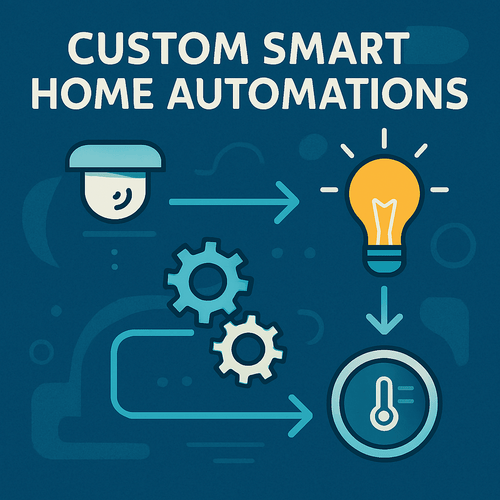
Many smart home devices work better when connected to third-party services like IFTTT, SmartThings, or HomeKit. These platforms allow different brands and gadgets to communicate seamlessly. You can create custom triggers, such as turning on outdoor lights when your security camera detects motion.
Check if your devices support these integrations. Linking to third-party services often expands what your home can do without extra hardware. Have you thought about connecting your smart locks with your calendar to automatically lock the door when you leave for work? These small integrations make your home smarter without added complexity.
Energy Efficiency And Savings
Energy efficiency is a key benefit of creating a smart home. It helps you lower your utility bills while reducing your environmental footprint. Smart technology gives you control and insights that traditional setups can’t match, turning savings into a daily habit.
Monitoring Energy Usage
Smart energy monitors track your electricity use in real time. You can see which devices consume the most power and adjust accordingly.
Imagine getting an alert that your heater is running longer than usual. This allows you to act fast and save money. Many smart meters connect to apps where you can analyze trends and set energy goals.
Smart Appliances For Efficiency
Smart appliances like refrigerators, washing machines, and thermostats optimize their operation to save energy.
For example, a smart thermostat learns your schedule and adjusts heating or cooling only when needed. This avoids wasting energy in empty rooms. Similarly, smart washers choose water levels and cycle lengths based on load size.
These devices often come with energy ratings and usage reports, helping you make informed decisions. Have you checked if your appliances have smart features that could cut your bills?
Eco-friendly Smart Solutions
Beyond saving money, smart homes can adopt eco-friendly solutions that protect the planet.
- Solar panel systems paired with smart inverters maximize clean energy use.
- Smart lighting with LED bulbs adjusts brightness and turns off automatically in unused spaces.
- Water-saving smart irrigation systems deliver the right amount of water based on weather data.
These solutions not only reduce waste but often increase your home’s overall value. What small eco-friendly smart upgrade could you add today to make a big difference tomorrow?
Enhancing Home Security
Enhancing home security is a vital part of creating a smart home. Smart devices provide better protection and ease of use. They help you keep an eye on your property anytime. These tools alert you to unusual activities and let you act quickly. Security improvements also bring peace of mind for everyone in the house.
Smart Cameras And Doorbells
Smart cameras record video and send live feeds to your phone. They often include night vision for clear images in the dark. Smart doorbells show who is at your door before you open it. Many models offer two-way audio to speak with visitors. These devices help prevent break-ins and package theft.
Motion Sensors And Alerts
Motion sensors detect movement in and around your home. They trigger alerts or alarms when unexpected motion occurs. You can set sensors near doors, windows, or driveways. These sensors reduce false alarms by distinguishing pets from people. Instant alerts keep you informed and ready to respond.
Remote Monitoring Features
Remote monitoring lets you control security systems from anywhere. Use apps on your phone to view cameras and check sensors. You can lock doors or turn on alarms remotely. This feature is useful during trips or busy days. It ensures your home stays secure no matter where you are.
Smart Entertainment Systems
Smart entertainment systems turn your living space into a hub of enjoyment and convenience. They blend technology with comfort, allowing you to control your media effortlessly. You get more than just watching TV; you create an immersive experience that fits your lifestyle.
Smart Tvs And Streaming Devices
Smart TVs connect directly to the internet, giving you access to apps, games, and streaming services without extra hardware. If your TV isn’t smart, streaming devices like Roku, Amazon Fire Stick, or Chromecast can add those capabilities quickly.
Imagine sitting down and finding your favorite show within seconds, not flipping through channels endlessly. You can even use voice commands to search or control playback, making it easier than ever to enjoy content.
Multi-room Audio Solutions
Music can follow you from room to room with multi-room audio systems. Brands like Sonos and Bose let you sync speakers across your home or play different songs in each space. You get flexibility and seamless sound wherever you go.
Think about hosting a party where the music flows effortlessly from the kitchen to the backyard. You control everything with a single app, so managing your sound environment is simple and fun.
Home Theater Integration
Creating a home theater means more than just a big screen and speakers. Integrating lighting, soundproofing, and smart controls enhances the experience. You can dim lights, adjust volume, and switch inputs with a single remote or your phone.
Have you ever wished for a cinema feel without leaving your house? Proper integration makes this possible, turning movie nights into memorable events tailored to your preferences.
Troubleshooting Common Issues
Setting up a smart home can be exciting, but it often comes with its share of hiccups. Troubleshooting common issues quickly keeps your smart home running smoothly and saves you from frustration. Let’s break down some typical problems and how to fix them effectively.
Connectivity Problems
Nothing disrupts a smart home faster than devices losing connection. Check if your Wi-Fi router is placed centrally and away from thick walls or electronic interference.
If a device keeps dropping off, restart both the device and your router. Sometimes, simply reconnecting to the network clears up the issue.
Consider using a Wi-Fi extender if your home is large or has multiple floors. This helps maintain a strong signal throughout your space.
Device Compatibility
You might have a smart bulb from one brand and a voice assistant from another, but do they talk to each other? Compatibility issues often cause devices to not work as expected.
Check the product specifications before buying. Look for compatibility with major platforms like Google Assistant, Alexa, or Apple HomeKit.
Sometimes, a firmware update can enable compatibility with other ecosystems. Don’t assume devices won’t work together—investigate whether updates or third-party apps can bridge the gap.
Software Updates And Maintenance
Keeping your devices’ software up to date is crucial. Updates often fix bugs and improve security, which keeps your smart home safe and efficient.
Set your devices to update automatically if possible. If not, schedule regular checks to ensure they run the latest software.
Don’t ignore maintenance alerts or unusual behavior like slow response or freezing. These could be signs that your smart home needs a quick software refresh.
Future Trends In Smart Home Technology
The future of smart home technology is shaping up to be more intuitive, connected, and responsive than ever before. As technology evolves, your home can learn and adapt to your habits, making daily life smoother and more efficient. What will these advancements mean for your living space?
Ai And Machine Learning
Smart homes are becoming smarter with AI and machine learning. These technologies analyze your routines and preferences to automate tasks like adjusting lighting, climate, and security settings without needing manual input.
Imagine your home adjusting the thermostat before you even get out of bed or suggesting energy-saving tips based on your usage patterns. Have you noticed your smart assistant getting better at anticipating your needs lately?
Advancements In Iot
The Internet of Things (IoT) is expanding the range of devices that can communicate seamlessly within your home. More appliances, from refrigerators to washing machines, are now connected and capable of sharing data.
This connectivity allows for enhanced control and monitoring through a single app or voice command. What new smart devices could you add to your home setup to make life easier?
Smart Home Innovations
New innovations are pushing smart home technology beyond convenience to focus on health, security, and sustainability. Devices now include air quality monitors, advanced security cameras with facial recognition, and smart water-saving systems.
These innovations not only improve comfort but also help reduce your environmental impact. How can you leverage these emerging features to create a safer and greener home?
Frequently Asked Questions
What Devices Are Essential For A Smart Home?
Essential smart home devices include smart speakers, thermostats, lighting, security cameras, and door locks. These devices enhance convenience, security, and energy efficiency. Choosing compatible devices ensures seamless integration and control through a central hub or smartphone app.
How Do I Start Building A Smart Home System?
Begin with a smart hub or voice assistant to control devices. Gradually add smart lights, thermostats, and security systems. Prioritize compatibility and ease of use. Start small, then expand based on your needs and budget for a customized smart home experience.
Are Smart Homes Secure From Hacking?
Smart homes have security risks but can be protected with strong passwords and regular updates. Use encrypted networks and trusted brands. Enable two-factor authentication where possible. Staying vigilant reduces hacking chances and keeps your smart home data safe.
Can Smart Homes Save Energy And Reduce Bills?
Yes, smart homes optimize energy use through automated lighting, heating, and cooling. Smart thermostats adjust based on occupancy and weather. This leads to significant energy savings and lower utility bills while enhancing comfort and convenience.
Conclusion
Creating a smart home can make life easier and safer. Start with small steps and add devices over time. Choose gadgets that fit your needs and budget. Keep your system simple to avoid confusion. Remember to secure your network to protect privacy.
Enjoy the comfort and control smart homes provide. Stay patient and learn as you go. Your home will become smarter, one device at a time.