

Are you struggling to find the perfect way to arrange your living room furniture around your TV? You’re not alone.
The right setup can transform your space, making it more comfortable, functional, and inviting. But with so many options, it’s easy to feel overwhelmed. What if you could create a layout that not only looks great but also enhances your viewing experience and encourages conversation?
Keep reading, and you’ll discover simple, effective tips to arrange your living room furniture that put your comfort and style first. Your ideal living room is just a few steps away.
Choosing The Focal Point
Choosing the focal point in your living room is essential for creating a comfortable and inviting space. It guides how you arrange your furniture and helps balance the room visually. Most often, the TV becomes this central element, but other factors like natural light and room layout play a big role too.
Placing The Tv As Centerpiece
Positioning the TV as the centerpiece makes it easier for everyone to enjoy their favorite shows without straining their necks. Place your seating directly facing the TV, ensuring a clear view from every spot. Avoid placing the TV too high; eye level when seated is ideal for comfort.
Think about the distance between the TV and your sofa. A good rule is to sit about 1.5 to 2.5 times the diagonal size of your TV away. This setup reduces glare and improves your viewing experience.
Considering Natural Light
Natural light can enhance your living room but also cause screen glare. Check how sunlight moves through the room during different times of the day. Arrange your TV and seating to minimize direct light hitting the screen.
If you can’t avoid sunlight on your TV, adding curtains or blinds can help control brightness. You might also consider anti-glare screen protectors. These small adjustments make a big difference in comfort.
Balancing Windows And Doors
Windows and doors influence where your furniture can go without blocking pathways or light. Avoid placing large pieces in front of doors to keep the room accessible. Use windows to your advantage by positioning seating nearby for natural warmth and views.
Try not to have the TV directly opposite a window; reflections can distract you. Instead, angle the TV or furniture slightly. This balance keeps your living room functional and visually pleasing.
Measuring Your Space
Measuring your living room space is the first key step in arranging furniture with a TV. Accurate measurements help create a balanced and functional setup. Without proper size details, furniture might crowd the room or feel lost. Take your time to measure carefully for a smooth layout process.
Determining Room Dimensions
Start by measuring the length and width of the room. Use a tape measure or laser measure for accuracy. Write down the exact numbers. Also, note the height of the walls for tall furniture or wall-mounted TVs. Mark locations of doors, windows, and any built-in features. These details affect furniture placement.
Allowing For Traffic Flow
Plan clear paths for easy movement around the room. Leave at least 2 to 3 feet between furniture pieces for walking space. Avoid blocking doors or windows with large items. Think about where people will enter and exit the room. Good traffic flow makes the space feel open and comfortable.
Accounting For Furniture Size
Measure your sofa, chairs, TV stand, and other pieces. Compare these sizes with your room dimensions. Ensure the furniture fits without overcrowding. Consider the TV size and its viewing distance from seating. Leave extra space for side tables or lamps. Proper sizing prevents clutter and enhances comfort.
Selecting Furniture Types
Selecting the right furniture types shapes the living room’s comfort and style. Each piece should fit the room size and TV placement. Balance between function and design creates a welcoming space for all. Focus on seating, storage, and flexibility to suit daily use.
Sofas And Sectionals
Sofas provide the main seating near the TV. Sectionals offer versatile layouts and more seats. Choose sizes that do not overcrowd the room. Opt for neutral colors to match various decor styles. Comfort is key for long watching sessions.
Chairs And Ottomans
Chairs add extra seating without taking much space. Ottomans serve as footrests or additional seats. They can also double as small tables. Select lightweight pieces for easy movement. Mixing styles can bring character and coziness.
Storage And Shelving Units
Storage keeps the living room tidy and organized. Shelving units hold books, decor, and media devices. Choose closed storage to hide clutter. Open shelves display personal items and add charm. Position shelves near the TV for convenience.

Arranging Seating For Comfort
Arranging seating in your living room is key to comfort. It shapes how you watch TV and chat with guests. Thoughtful seating placement creates a cozy and inviting space. Focus on angles, groupings, and flexibility.
Optimal Viewing Angles
Arrange seats so the TV is easy to see. Avoid sharp angles that strain the neck. The best spot is directly facing the screen or slightly off-center.
Keep the distance between seats and TV moderate. Too close causes eye strain, too far loses detail. A good rule is about 1.5 to 2.5 times the screen size.
Creating Conversation Areas
Group chairs and sofas to encourage talking. Place them near each other, but not blocking the view of the TV. Use a coffee table or rug to define the area.
Angle seats slightly toward each other. This helps guests feel connected. Keep pathways clear for easy movement.
Flexible Seating Options
Add chairs or poufs that can move easily. These let you change the setup for different occasions. Stackable or foldable seats save space when not needed.
Choose lightweight furniture for quick rearrangement. This keeps your living room adaptable and comfortable for all activities.
Positioning The Tv
Positioning the TV is a crucial part of arranging your living room furniture. It affects comfort, viewing experience, and the overall flow of your space. Getting it right ensures you enjoy your favorite shows without straining your neck or eyes.
Eye-level Placement
Place your TV so the center of the screen is at eye level when you’re seated. This reduces neck strain and makes watching more comfortable over long periods.
Think about where you usually sit. If your couch is lower or higher than average, adjust the TV height accordingly. A simple rule is to keep the screen center about 42 inches from the floor, but measure your seating to be sure.
Reducing Glare And Reflections
Glare ruins the viewing experience faster than anything else. Position the TV away from direct sunlight or strong light sources.
Try turning your TV perpendicular to windows instead of facing them. If that’s not possible, use curtains or blinds to control the light. Anti-glare screen protectors can also help if reflections are a persistent issue.
Mounting Vs. Stand Options
Deciding between mounting your TV on the wall or using a stand depends on your room layout and style preferences.
- Wall mountingsaves floor space and creates a clean look. It allows you to adjust the height easily with a tilting bracket.
- TV standsoffer storage for media devices and décor. They’re easier to move around if you like changing your room setup often.
Which option fits your lifestyle better? Think about how often you rearrange furniture and whether you need extra storage before choosing.
Enhancing With Accessories
Accessories can transform your living room from ordinary to inviting. They add personality, texture, and warmth to the space where your TV is the focal point. Choosing the right accessories helps balance the room and enhances both comfort and style.
Using Rugs To Define Space
A rug can anchor your furniture and create a clear zone around your TV area. It adds softness underfoot and introduces color or pattern without overwhelming the room.
Try a rug that’s large enough for all the front legs of your seating to rest on it. This trick visually ties your furniture together and defines where the living space begins and ends.
Think about material too—wool rugs offer durability, while flatweaves are easier to clean, especially in high-traffic areas near your TV.
Lighting For Ambiance And Function
Good lighting does more than brighten a room; it sets the mood and reduces eye strain when watching TV. Layer your lighting with a mix of overhead fixtures, floor lamps, and table lamps.
Dimmer switches give you control to adjust brightness depending on the time of day or activity. For instance, softer lighting works well during movie nights, while brighter lighting is better for reading or socializing.
Don’t forget about glare—position lamps and choose shades that prevent reflections on your TV screen.
Incorporating Decorative Elements
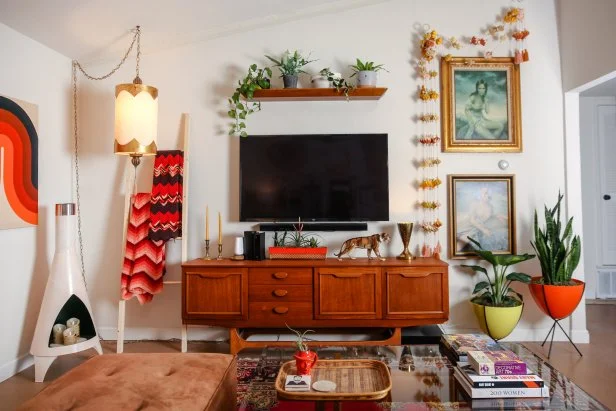
Decorative items reflect your style and make the space feel lived-in. Use shelves or side tables to display books, plants, or art pieces that catch your eye.
Mix textures like smooth ceramics, soft textiles, and natural wood to keep the room interesting. A few well-chosen accessories can spark conversations and make your living room feel welcoming.
Ask yourself: do these pieces add comfort or function? If not, it might be time to swap them for something more meaningful to your daily life.
Maximizing Small Living Rooms
Maximizing a small living room while arranging your furniture around the TV can feel like solving a tricky puzzle. Every inch counts, and the goal is to create a space that feels open yet functional. Think about how you use the room daily and what pieces you really need to keep.
Multi-functional Furniture
Choosing furniture that serves more than one purpose saves space and adds flexibility. A sofa bed or ottoman with storage lets you hide away blankets or magazines, clearing clutter instantly.
Consider a coffee table with shelves or drawers to keep remotes and chargers organized. This way, your small space stays neat without extra storage units.
Wall-mounted Solutions
Free up floor space by mounting your TV on the wall. This instantly makes the room feel larger and gives you room for a slim console or floating shelves underneath.
Wall-mounted shelves can hold books, plants, or decorative items without crowding the floor. Have you tried adding hooks or racks near the TV area? It’s a clever way to keep cables and accessories tidy.
Open Layout Strategies
Creating an open flow helps your small living room feel airy and inviting. Avoid blocking pathways with bulky furniture, and arrange pieces so you can move easily around the room.
Try floating your sofa away from walls or use rugs to define seating zones without walls. This subtle separation keeps the area organized without adding physical barriers.
Maintaining Balance And Flow
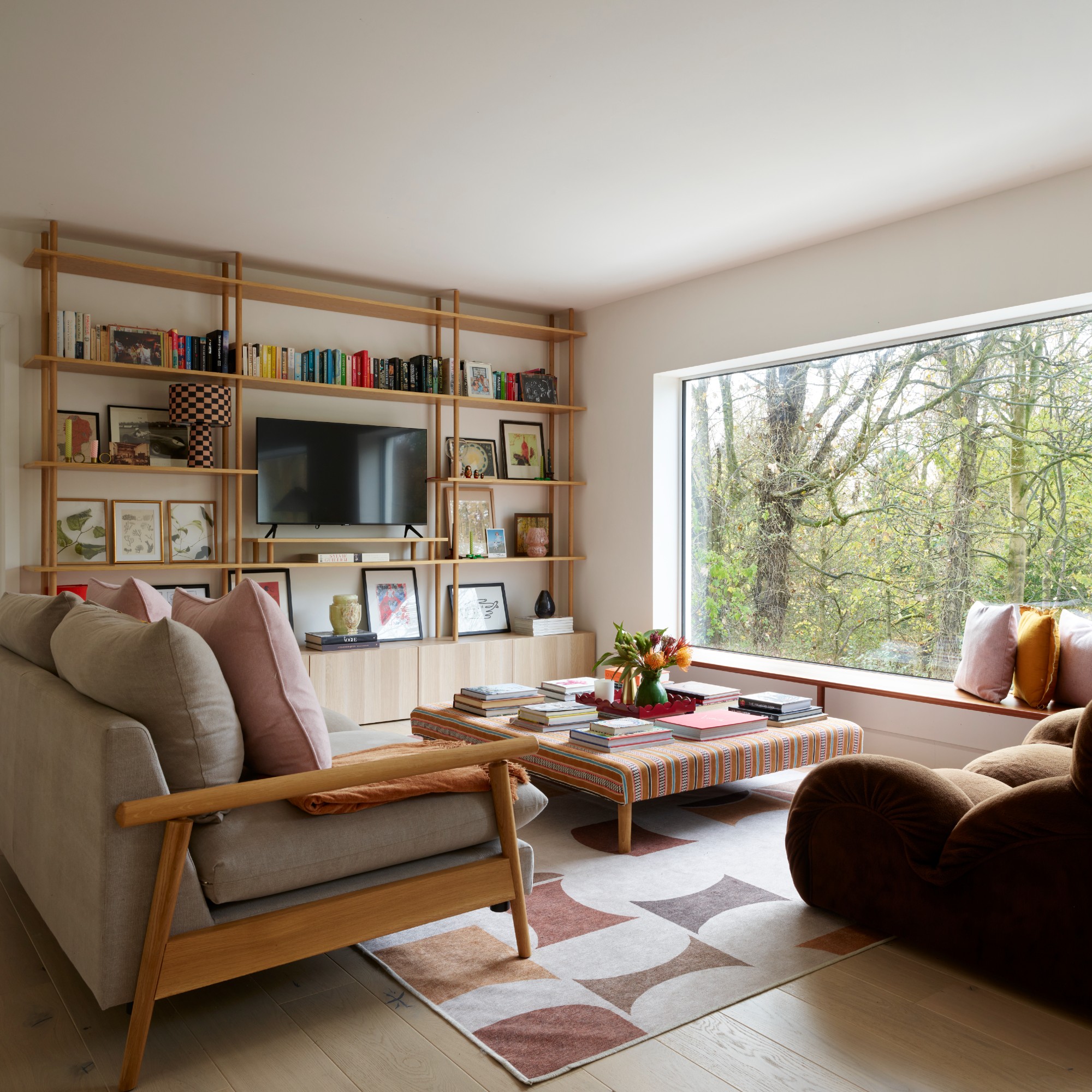
Maintaining balance and flow in a living room with a TV is key for comfort and style. A well-arranged space feels open and inviting. It allows easy movement and keeps the room looking tidy. Thoughtful placement of furniture creates harmony and highlights the TV without overpowering the space.
Avoiding Clutter
Keep the living room clear of too many items. Avoid crowding furniture close to the TV or walls. Use storage solutions to hide cables and remotes. Minimal decor helps the room feel spacious and neat. A clutter-free space improves focus on the TV and comfort for guests.
Symmetry And Proportion
Arrange furniture pieces in pairs or groups for visual balance. Place sofas and chairs at equal distances from the TV. Choose furniture sizes that fit the room’s scale. Large pieces can overwhelm small rooms. Small furniture might look lost in large spaces. Balanced proportions create a pleasing and calm environment.
Clear Pathways
Design walkways that allow easy movement around furniture. Avoid blocking doors or windows with chairs or tables. Leave at least two to three feet of walking space. Clear paths prevent accidents and make the room feel open. Flowing pathways connect different parts of the room smoothly.
Frequently Asked Questions
How Do I Position Furniture Around A Tv?
Place seating directly facing the TV for clear viewing. Keep enough space for walking paths. Arrange furniture in a conversational layout while prioritizing TV visibility.
What Is The Ideal Distance From Tv To Sofa?
Keep the sofa 6 to 10 feet from the TV. This distance reduces eye strain and offers a comfortable viewing angle. Adjust based on screen size and room dimensions.
How To Avoid Glare On The Tv Screen?
Position the TV away from windows or use curtains. Use matte screen protectors to reduce reflections. Arrange lights to avoid direct shine on the TV.
Can I Create A Cozy Living Room With A Tv?
Yes, use soft lighting and comfortable seating. Add rugs, cushions, and throws for warmth. Integrate the TV into the décor with stylish furniture pieces.
Conclusion
Arranging living room furniture with a TV takes simple planning. Place the TV at eye level for easy viewing. Keep enough space around furniture for smooth movement. Choose seating that faces the TV but also allows conversation. Use rugs or tables to create cozy zones.
Balance comfort and style to enjoy your space. Small changes can make your living room feel inviting. Try different layouts until it feels just right. Your living room should be both functional and relaxing.