
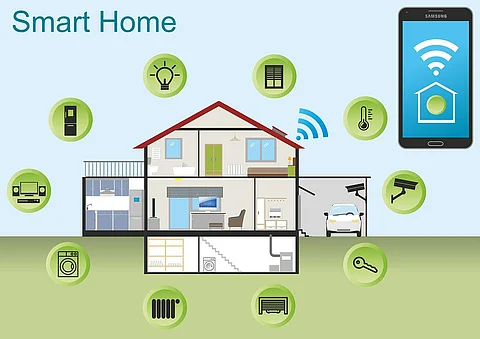
How to Make Your Home a Smart Home. Imagine walking into your home and having the lights turn on just the way you like them. Picture adjusting your thermostat without leaving the couch or knowing when your front door is unlocked—all from your phone.
Making your home smart isn’t just about cool gadgets; it’s about making your life easier, safer, and more comfortable. If you’ve ever wondered how to bring that future into your everyday life, this guide is for you. Keep reading to discover simple steps that will transform your living space into a smart home tailored to your needs.
Choosing The Right Smart Devices
Choosing the right smart devices can make or break your smart home experience. It’s not just about buying the latest gadgets but finding those that fit your lifestyle and work seamlessly together. Consider how each device will add convenience and improve daily tasks without complicating your routine.
Smart Hubs And Controllers
Smart hubs act as the command center for your connected devices. They allow you to control everything from one app or voice assistant, reducing the need to juggle multiple platforms. When selecting a hub, check compatibility with devices you already own or plan to buy.
Think about whether you want a hub with a screen, like Amazon Echo Show, or a simple voice-only controller. Some hubs also support automation routines, which can simplify your day by triggering multiple devices with a single command.
Smart Lighting Options
Smart lighting offers more than just convenience; it can enhance your mood and save energy. Look for bulbs or switches that work with your hub and let you customize brightness and color. Philips Hue and LIFX are popular choices that balance ease of use with powerful features.
Consider how you want to control your lights—via smartphone, voice, or motion sensors. Installing smart dimmers or automated schedules can help reduce electricity bills while making your home feel more welcoming.
Smart Thermostats For Efficiency
Smart thermostats learn your schedule and adjust temperatures automatically to save energy. Nest and Ecobee offer models that provide detailed reports on your energy usage, helping you make smarter choices. These devices pay for themselves over time through reduced utility bills.
Ask yourself if you want remote control from your phone or integration with other smart home systems. Some thermostats can even detect when you’re away and adjust settings accordingly, making your home more efficient without sacrificing comfort.
Smart Security Solutions
Security is a top priority when building a smart home. Cameras, doorbells, and sensors can alert you to unusual activity instantly. Look for devices with clear video quality, reliable alerts, and easy installation.
Think about where you need coverage most—entry points, driveways, or indoor spaces. Many systems allow remote monitoring and integration with your smart hub, so you can stay connected even when you’re not home.
Setting Up Smart Lighting
Setting up smart lighting creates a bright, efficient home environment. It improves comfort and saves energy. Smart lights adapt to your daily routine and mood. This section covers key ways to enhance your space with smart lighting.
Wireless Bulbs And Switches
Wireless bulbs fit into regular sockets and connect to your Wi-Fi. No extra wiring needed. They offer easy control through apps or remotes.
Smart switches replace traditional wall switches. They control regular bulbs without changing the bulbs themselves. This option works well for homes with many light fixtures.
Both options provide flexibility. Choose bulbs for direct control or switches for whole-room lighting.
Automated Lighting Schedules
Set schedules to turn lights on and off automatically. This saves energy by avoiding lights left on unnecessarily.
Schedules can match your lifestyle. Wake up lights slowly brighten. Evening lights dim for relaxation.
Use app settings to customize timing for each room. Automation adds convenience and security.
Voice Control Integration
Connect smart lights to voice assistants like Alexa or Google Assistant. Control lights hands-free with simple commands.
Voice control suits busy moments or when your hands are full. Say “turn on the lights” or “dim the living room.”
This feature enhances accessibility and ease of use for everyone in the household.
Enhancing Home Security
Enhancing your home security is one of the smartest moves you can make when transforming your house into a smart home. With the right technology, you gain peace of mind and better control over who accesses your property. Let’s look at practical tools that can boost your home’s safety and help you stay connected no matter where you are.
Smart Cameras And Doorbells
Smart cameras and doorbells offer more than just video recording—they let you see and speak to visitors from your phone. You can catch package deliveries or spot suspicious activity instantly.
Many models come with motion detection and night vision, so you never miss a thing. Have you ever wondered what your front porch looks like when you’re not home? These devices answer that question clearly and quickly.
Automated Locks And Alarms
Automated locks give you the power to lock or unlock doors remotely. You can create temporary access codes for guests or service workers and revoke them anytime.
Alarms connected to your smart system alert you immediately if there’s a break-in attempt. You can even set alarms to trigger automatically based on unusual activity, making your home a tough target for intruders.
Remote Monitoring Features
Remote monitoring lets you keep an eye on your home from anywhere in the world using your smartphone or tablet. It’s like having a security guard in your pocket.
You can receive real-time alerts, review past footage, and control all your security devices without being physically present. Wouldn’t it feel great knowing your home is secure while you’re away on vacation or at work?

Temperature Control Solutions
Temperature control solutions make homes more comfortable and efficient. Smart devices help manage heating and cooling with ease. These systems save energy and reduce utility bills.
Smart temperature control adapts to your daily routine. It keeps rooms cozy in winter and cool in summer. You stay comfortable without wasting power.
Programmable Thermostats
Programmable thermostats let you set temperature schedules. They adjust heating or cooling based on your needs. You can set different temperatures for day and night.
This feature helps reduce energy use during times no one is home. It also prevents overheating or overcooling rooms. Many models learn your habits to optimize settings automatically.
Energy-saving Tips
- Keep thermostat settings moderate to save energy.
- Use ceiling fans to help circulate air efficiently.
- Seal windows and doors to prevent heat loss.
- Lower thermostat a few degrees in winter and raise in summer.
- Use curtains or blinds to block sunlight during hot days.
These small actions complement smart devices for better savings. They extend the life of your heating and cooling systems.
Remote Access Features
Remote access allows control of your thermostat from anywhere. Use a smartphone app to change settings on the go. Adjust temperatures before arriving home for comfort.
Remote monitoring shows real-time energy use and alerts for issues. You can prevent wasted energy by fixing problems quickly. This feature adds convenience and peace of mind.
Entertainment System Integration
Integrating your entertainment system into a smart home setup transforms how you enjoy movies, music, and shows. It creates a seamless experience where devices communicate effortlessly, saving you time and enhancing comfort. Imagine controlling everything from one place without juggling multiple remotes or apps.
Smart Tvs And Streaming Devices
Smart TVs are the backbone of a connected entertainment system. They give you access to countless streaming services without extra hardware. If your TV isn’t smart, adding a streaming device like Roku, Amazon Fire Stick, or Chromecast can instantly upgrade your setup.
Choose devices that support popular apps and have easy-to-use interfaces. Some even allow you to customize your home screen for quick access to your favorite content. Have you checked if your current TV supports voice commands or app integration? This small feature can simplify your viewing experience dramatically.
Sound System Synchronization
Great visuals deserve great sound. Syncing your speakers, soundbars, and subwoofers through a smart hub or app can create immersive audio throughout your home. Wireless setups reduce clutter and let you place speakers where the sound is best.
Look for systems compatible with Wi-Fi or Bluetooth that support multi-room audio. This lets you play music in different rooms or group them for a party mode. Have you ever noticed how synchronized sound enhances your movie nights or gatherings? It makes a noticeable difference in enjoyment.
Voice-activated Controls
Voice commands make controlling your entertainment effortless. Devices like Amazon Alexa, Google Assistant, or Apple Siri can turn on your TV, change channels, adjust volume, and even dim lights without moving from your seat.
Integrate your entertainment system with these assistants for hands-free convenience. Setting up custom voice commands adds a personal touch—imagine saying, “Movie time,” and having your TV switch on, lights dim, and sound system activate automatically. What voice commands would make your daily routine easier?
Managing Smart Appliances
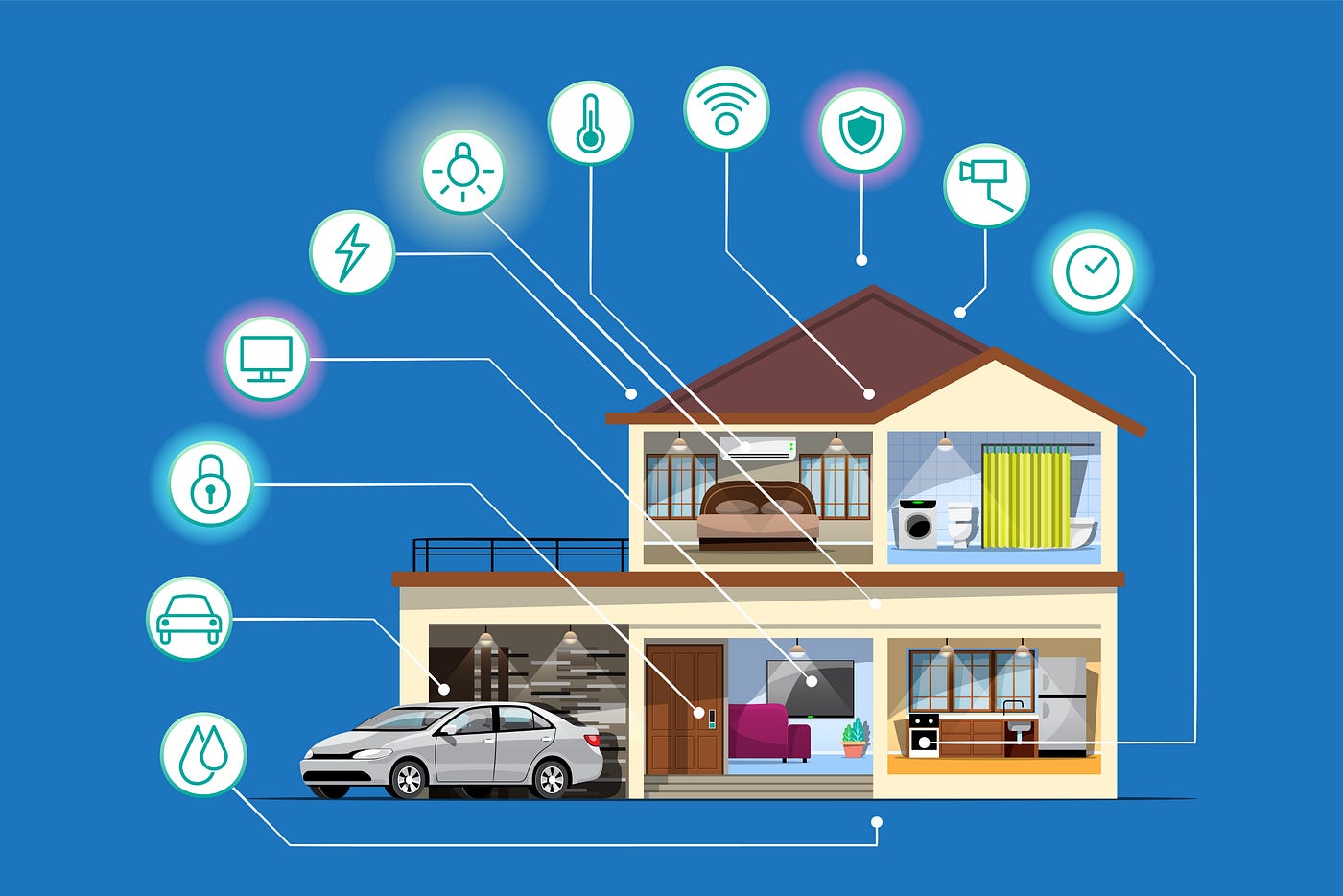
Managing smart appliances brings ease and efficiency to daily tasks. These devices connect to your home network. This connection allows remote control and automation. Smart appliances save time and energy. They also help keep your home organized and secure.
Connected Kitchen Gadgets
Smart kitchen gadgets make cooking faster and simpler. Smart ovens can preheat remotely. Refrigerators track food items and suggest recipes. Coffee makers start brewing at a set time. These devices communicate with your smartphone. This lets you control them from anywhere.
- Smart ovens with voice control
- Refrigerators with inventory tracking
- Wi-Fi-enabled coffee makers
- Smart slow cookers and pressure cookers
All gadgets work together to create a smooth cooking experience.
Smart Laundry Solutions
Smart washers and dryers simplify laundry chores. They send alerts when cycles finish. You can start or stop machines remotely. Some models adjust settings based on fabric type. This protects clothes and saves water.
- Remote start and stop features
- Cycle notifications via phone
- Energy-saving wash modes
- Automatic detergent dispensers
Smart laundry systems reduce effort and increase convenience.
Energy Consumption Monitoring
Smart appliances help track energy use. This information shows which devices use the most power. Some appliances suggest ways to cut energy waste. Monitoring helps lower electricity bills. It also supports eco-friendly habits.
- Real-time energy usage data
- Alerts for unusual power spikes
- Reports on daily and monthly consumption
- Recommendations for efficient use
Understanding energy use leads to smarter home management.
Voice Assistant Compatibility
Voice assistant compatibility is key to transforming your home into a truly smart environment. It connects your devices through simple voice commands, making everyday tasks easier and more intuitive. Understanding how to choose, integrate, and customize these assistants can save you time and enhance your home automation experience.
Choosing The Right Assistant
Picking the right voice assistant starts with knowing your preferences and the devices you already own. Popular options include Amazon Alexa, Google Assistant, and Apple Siri. Each has unique strengths—Alexa excels with a wide range of compatible devices, Google Assistant offers powerful search capabilities, and Siri integrates seamlessly with Apple products.
Think about your current ecosystem. Are you already using an iPhone or Android? Do you want a device that can control your smart lights, thermostat, or security system? Matching your assistant to your lifestyle avoids compatibility headaches and keeps your smart home running smoothly.
Integrating With Smart Devices
Once you’ve chosen your assistant, the next step is connecting it with your smart devices. Most assistants support hundreds of brands, but it’s essential to check compatibility before buying new gadgets.
- Start by linking your assistant app to your devices’ apps.
- Group devices by rooms or functions for easier control.
- Test commands like “Turn off the kitchen lights” or “Set the thermostat to 72 degrees.”
Integration isn’t just about connection—it’s about how smoothly devices respond. If your smart plugs or cameras lag or don’t respond, revisit the setup or check your Wi-Fi strength. Have you experienced delays that made you want to give up? Often, a firmware update or re-pairing the device fixes these issues.
Customizing Voice Commands
Custom commands let you personalize your smart home experience beyond default settings. You can create routines like “Good morning” to turn on lights, start the coffee maker, and read the news—all with one phrase.
- Use your assistant’s app to set up these routines or shortcuts.
- Name devices and commands clearly to avoid confusion.
- Experiment with different phrases to find what feels natural.
Custom commands can save you time and add a touch of fun. Have you tried asking your assistant to tell you a joke or play your favorite playlist? Small tweaks like these make your smart home feel more personal and responsive every day.
Ensuring Data Security
Turning your home into a smart home brings convenience and control, but it also opens doors to potential security risks. Ensuring data security should be your top priority to protect your personal information and maintain peace of mind. Let’s look at key ways to keep your smart home safe and your data secure.
Protecting Personal Information
Smart devices collect a lot of personal data, from your daily routines to voice commands. You need to be selective about the information you share and understand how it’s used.
Check privacy settings on each device. Disable unnecessary data sharing options. Always read the privacy policy before connecting a new gadget to your network.
Think about the last time you logged into a new app or device without checking permissions. Could you be giving away more than intended?
Secure Network Practices
Your home Wi-Fi network is the gateway for all smart devices. If it’s not secure, hackers can easily access your devices and data.
- Use a strong, unique password for your Wi-Fi and change it regularly.
- Enable WPA3 encryption for better security.
- Set up a guest network for visitors to keep your main network isolated.
Consider using a VPN to add a layer of protection, especially if you access your smart home remotely. Have you checked your router settings recently?
Regular Software Updates
Smart devices rely on software that can have vulnerabilities. Manufacturers often release updates to fix security holes and improve performance.
- Enable automatic updates whenever possible.
- Check for updates manually if your device doesn’t support auto-updates.
- Keep firmware and apps up to date to block new threats.
Skipping updates might seem harmless, but it can leave your home exposed. Ask yourself, how often do you update your smart devices?
Troubleshooting Common Issues
Troubleshooting common issues helps keep your smart home running smoothly. Many problems stem from simple causes. Understanding these can save time and frustration.
Smart devices rely on strong connections, compatible systems, and proper settings. Addressing these areas often resolves most issues.
Connectivity Problems
Smart devices need a stable internet connection. Weak Wi-Fi signals cause devices to lag or disconnect. Try moving your router closer to devices or use Wi-Fi extenders.
Restart your router to refresh the connection. Check if other devices face similar issues. Interference from walls or other electronics can block signals.
- Use 2.4 GHz Wi-Fi for better range with many smart devices.
- Reduce the number of devices on your network to avoid overload.
- Update router firmware to improve performance and security.
Device Compatibility Solutions
Not all smart devices work well together. Check device compatibility before buying. Use hubs or apps that support multiple brands.
Many smart home systems use common protocols like Zigbee or Z-Wave. Choose devices that share the same protocol for smoother integration.
- Verify the app supports your device’s model and brand.
- Update device firmware for better compatibility.
- Consult manufacturer guides for supported platforms and devices.
Resetting And Reconfiguring Devices
Reset devices if they stop responding or behave oddly. Reset clears errors and restores default settings.
Follow the manufacturer’s instructions carefully to avoid data loss. After resetting, reconnect devices to your network and app.
- Unplug the device, wait 10 seconds, then plug it back in.
- Use reset buttons or app options to restore factory settings.
- Reconfigure settings like Wi-Fi, user preferences, and schedules.
Frequently Asked Questions
What Are The Essential Devices For A Smart Home Setup?
Essential devices include smart speakers, smart lights, thermostats, security cameras, and smart plugs. These devices enable automation and remote control, enhancing convenience and energy efficiency in your home.
How Can I Secure My Smart Home Network?
Use strong, unique passwords for devices and Wi-Fi. Regularly update device firmware and enable two-factor authentication. Also, segment your smart home devices on a separate network for added security.
Is Professional Installation Necessary For Smart Home Devices?
Most smart home devices are designed for easy DIY installation. However, complex systems like security or home automation hubs may benefit from professional setup to ensure optimal performance and security.
Can Smart Homes Help Reduce Energy Bills?
Yes, smart thermostats and lighting systems optimize energy use by adjusting settings based on occupancy and schedules. This reduces waste and lowers your overall energy consumption and costs.
Conclusion
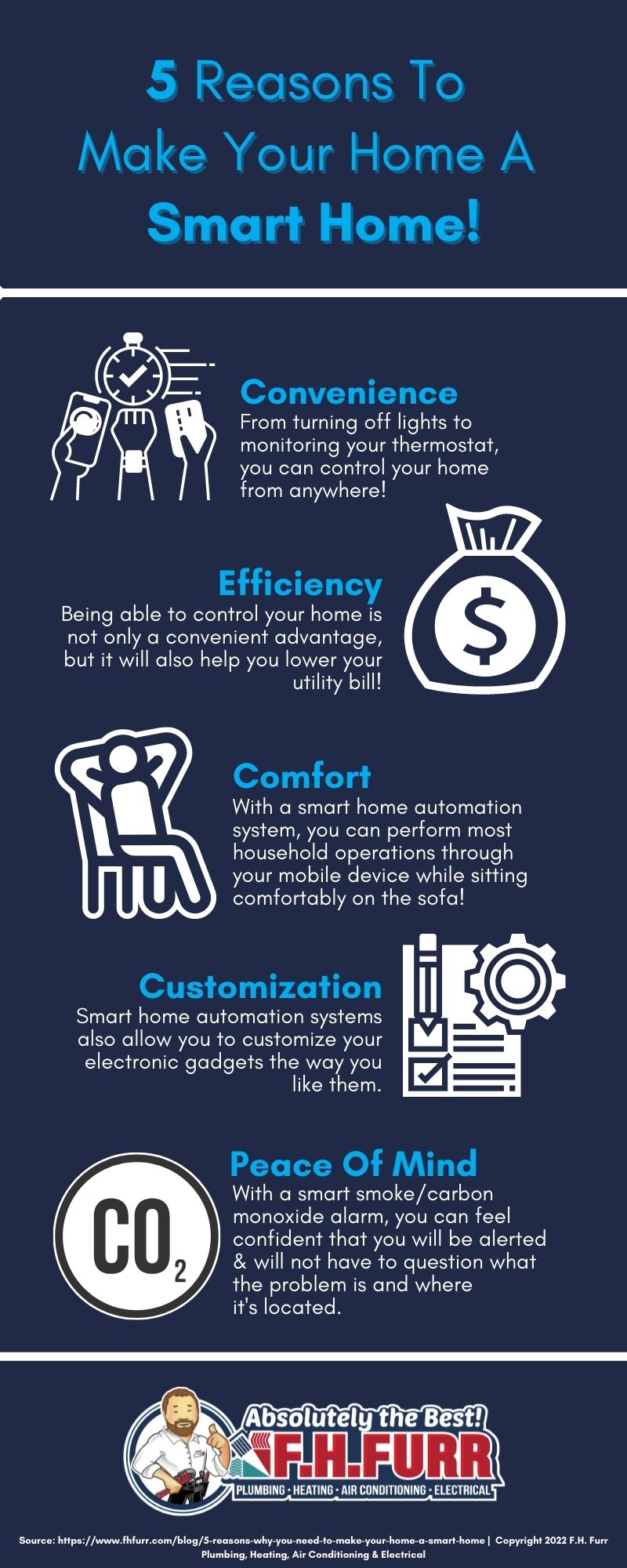
Making your home smart brings comfort and ease every day. Start small with simple devices that fit your needs. Save energy and time by controlling things remotely. Enjoy safety features that protect your family and home. Technology is here to help, not confuse.
Take one step at a time and learn as you go. Soon, your house will feel more connected and modern. Smart living is for everyone, and it can be fun too. Start today and see the difference it makes.