
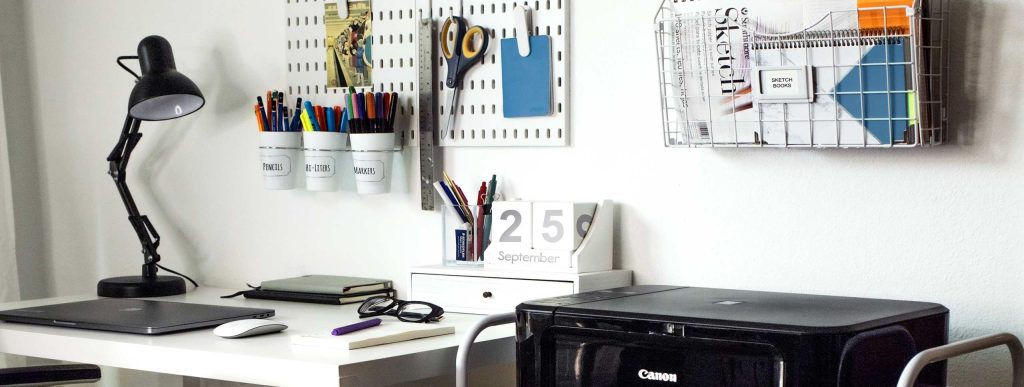
Is your home office desk cluttered and chaotic? You’re not alone—and the good news is, you can change that today.
Imagine sitting down to work and instantly feeling calm, focused, and ready to tackle any task. Organizing your desk space isn’t just about tidiness; it’s about boosting your productivity and reducing stress. You’ll discover simple, practical steps to transform your workspace into an efficient and inspiring zone.
Ready to take control of your desk and your day? Let’s dive in.
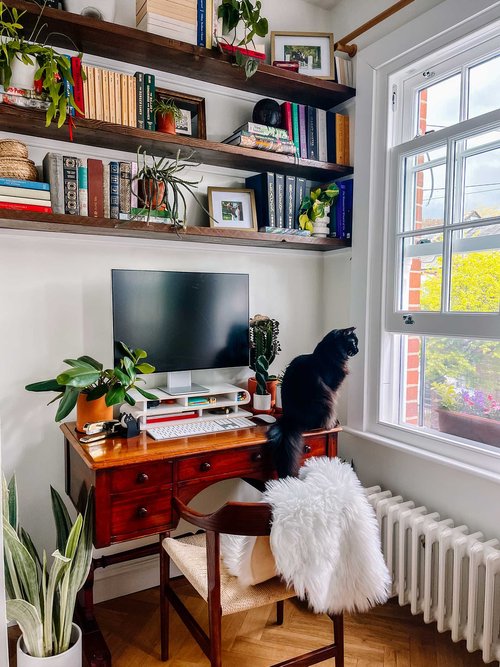
Credit: thegreenmadhouse.com
Choose The Right Desk
Choosing the right desk sets the foundation for an organized and efficient home office. Your desk isn’t just a piece of furniture—it’s your workspace hub. Selecting the perfect desk can boost your focus and help maintain a clutter-free environment.
Consider Size And Shape
Measure your available space before picking a desk. A desk too big can overwhelm a small room, while one too small might limit your work comfort. Think about how you use your desk daily—do you need space for multiple monitors or just a laptop?
Shape matters as well. Rectangular desks fit most spaces, but L-shaped desks provide extra surface area and help separate different tasks. Would a corner desk help you maximize unused space?
Pick Functional Features
Look for desks with built-in storage like drawers or shelves to keep essential items close. I once struggled with a cluttered desk until I switched to one with a drawer unit—instant game changer for staying organized.
Adjustable height desks offer flexibility, letting you switch between sitting and standing. Do you spend hours at your desk? Standing options might improve your comfort and energy levels.
Also, consider desks with cable management features to keep wires tidy. A messy tangle of cords can distract you more than you realize.
Declutter Regularly
Keeping your home office desk space tidy is an ongoing effort. Decluttering regularly helps you maintain focus and efficiency throughout your workday. It also prevents unnecessary stress caused by a cluttered environment.
Sort Essentials From Extras
Start by identifying what you truly need on your desk. Ask yourself: Do I use this item daily, weekly, or rarely? Items you use daily—like your computer, notepad, and pen—are essentials and deserve a spot within easy reach.
Extras, such as old documents, unused gadgets, or random stationery, should be stored elsewhere or discarded. Keeping only essentials visible frees up space and reduces distractions. You might find that clearing just a few items instantly makes your workspace feel larger and more inviting.
Create A Cleaning Routine
Set aside a few minutes at the end of each day to tidy your desk. This small habit prevents clutter from piling up and keeps your workspace ready for the next day. Think of it as a quick reset to clear your mind along with your desk.
Use simple tools like a small bin for trash, a drawer organizer for supplies, and a tray for papers. These items help you quickly sort and store objects during your daily clean-up. Would your productivity improve if your desk was this organized every morning?
Use Storage Solutions
Using smart storage solutions transforms your home office desk from cluttered chaos to a productivity haven. Storage isn’t just about hiding mess—it’s about creating a system that keeps everything within easy reach. Think about what you use daily and design your storage around those items.
Incorporate Drawers And Shelves
Drawers and shelves add valuable space without taking up more floor area. A drawer can hold essentials like pens, notebooks, and chargers, keeping your desktop clear. Shelves above or beside your desk are perfect for books, files, or decorative items that inspire you.
Try customizing drawer dividers to separate small office supplies. This stops everything from turning into a jumble. Shelves can also be stacked vertically, making use of unused wall space and keeping your desk surface free.
Utilize Desk Organizers
Desk organizers come in many shapes and sizes, designed to keep your tools in order. Use trays for papers and documents that need immediate attention. Pen holders, small bins, or multi-compartment boxes can sort items by type.
Ask yourself: which items do you reach for the most? Arrange desk organizers so those items are front and center. This reduces distraction and helps maintain focus throughout your workday.
Optimize Layout And Placement
Optimizing the layout and placement of your home office desk can boost comfort and productivity. Thoughtful arrangement creates a pleasant workspace that supports focus. Small changes in positioning can make a big difference in your daily work experience.
Position For Natural Light
Place your desk near a window to enjoy natural light. Sunlight reduces eye strain and lifts your mood. Avoid direct glare on your screen by angling the desk slightly. Natural light helps keep you alert and energized throughout the day.
Arrange For Easy Access
Keep essential items within arm’s reach to save time. Organize tools like pens, notebooks, and chargers on your desk or in nearby drawers. Use trays or small containers to group similar items together. Clear paths allow smooth movement and reduce clutter buildup.
Manage Cables Efficiently
Managing cables efficiently can transform your home office from a tangled mess into a clean, productive space. Excess wires not only look chaotic but also make it harder to clean and can cause distractions. Taking control of your cables helps maintain focus and keeps your desk looking professional.
Use Cable Organizers
Cable organizers are simple tools that make a big difference. You can use cable clips to keep cords in place or cable sleeves to bundle multiple wires together. Velcro straps are also great because they’re reusable and adjustable as your setup changes.
Think about how many devices you use daily—charging cables, computer wires, and peripherals. Grouping these cables with organizers prevents them from tangling and saves you time searching for the right one. Have you noticed how much easier it feels to work when your cables are tamed?
Hide Wires Neatly
Hiding wires might sound tricky, but it’s easier than you think. Run cables behind your desk or under a cable tray to keep them out of sight. Using adhesive clips under your desk can guide cables along a clean path without letting them dangle.
Another tip is to use cord covers that match your wall or desk color—this makes wires blend into the background. This approach doesn’t just improve aesthetics; it reduces tripping hazards and keeps your workspace safer. How much more focused could you be without those distracting cables in view?
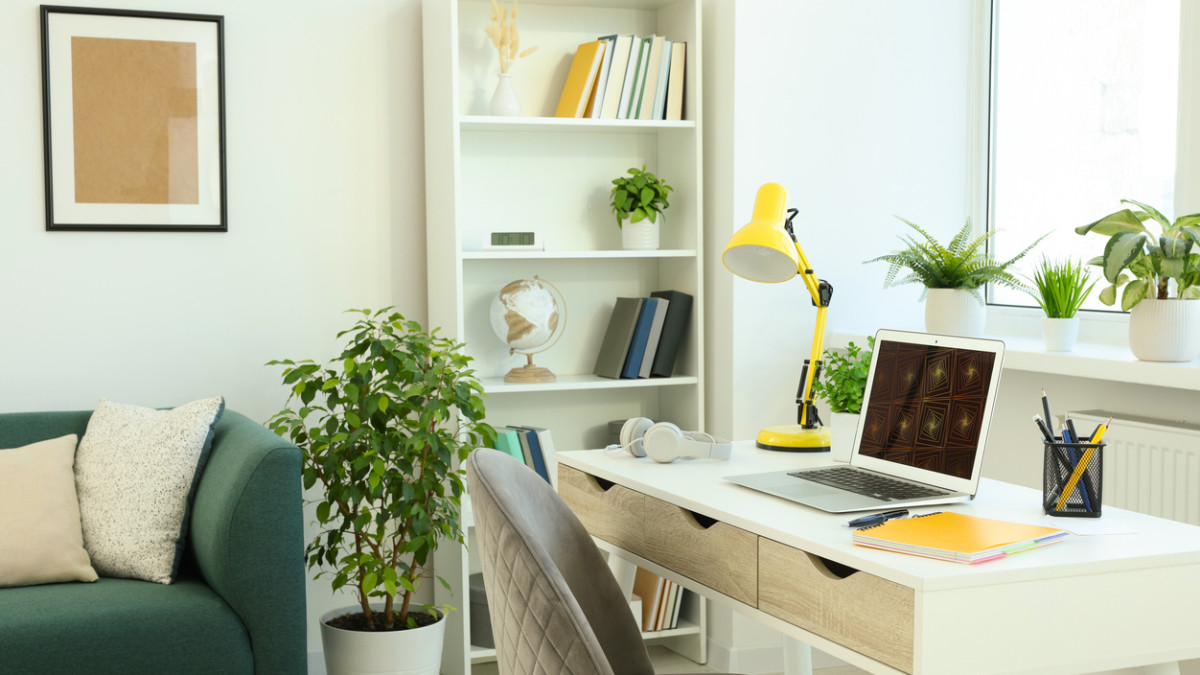
Credit: paradehomeandgarden.com
Personalize Thoughtfully
Personalizing your home office desk space can make a significant difference in how motivated and comfortable you feel throughout your workday. Thoughtful personalization means adding elements that inspire you without overwhelming your workspace. It’s about finding the right balance between function and personality to create an environment that truly supports your productivity.
Add Motivational Elements
Including motivational items on your desk can boost your focus and energy. Consider placing a small quote frame with words that resonate with your goals or a vision board with images that remind you of your ambitions. These simple touches serve as daily reminders of why you work hard and can push you through challenging moments.
You might also want to add a personal achievement, like a certificate or a photo from a proud moment. These elements reinforce your confidence and keep your mindset positive. What small item can you place on your desk that makes you feel unstoppable?
Keep Decorations Minimal
Clutter can distract you and reduce your efficiency. Limiting the number of decorative items helps maintain a clean and organized desk. Choose just a few meaningful pieces that bring you joy and remove anything that doesn’t serve a clear purpose or boost your mood.
Try to stick to one or two colors or styles for your decorations to create a cohesive look. A minimalist approach keeps your workspace calm and lets your creativity flow without unnecessary distractions. How many items on your desk truly add value to your workday?
Incorporate Ergonomics
Ergonomics plays a crucial role in setting up a home office desk space that keeps you comfortable and productive. It’s about arranging your workspace to fit your body and reduce strain throughout the day. Small adjustments can make a big difference in how you feel after hours of work.
Adjust Chair And Desk Height
Start by matching your chair height to your desk. Your feet should rest flat on the floor, with knees at a 90-degree angle. This position supports good circulation and reduces pressure on your lower back.
Next, ensure your desk height allows your forearms to be parallel to the floor when typing. If your desk is too high or too low, it forces your shoulders into an uncomfortable position. Consider a chair with adjustable height and a desk that fits your body’s dimensions.
Use Supportive Accessories
Adding accessories like a footrest or lumbar cushion can improve your posture instantly. A footrest helps if your feet don’t reach the floor comfortably, while a lumbar pillow supports the natural curve of your spine.
Monitor stands or adjustable arms position your screen at eye level, preventing neck strain. Also, consider an ergonomic keyboard and mouse to reduce wrist pain. These small tools make a big impact on comfort during long work sessions.
Create Zones For Tasks
Creating distinct zones for different tasks on your home office desk transforms chaos into clarity. It helps you stay focused and speeds up your workflow by keeping everything you need within easy reach. Instead of a cluttered mess, your desk becomes a well-organized powerhouse tailored to your daily activities.
Designate Work And Reference Areas
Separate your main work zone from your reference materials. Keep your computer, keyboard, and primary tools right in front of you. This area should be clear enough for you to work comfortably without distractions.
Next to your work zone, create a spot for reference materials like books, notes, or printed documents. Use a small shelf or file organizer to keep these items visible but out of your direct workspace. This way, you can quickly glance at them without interrupting your flow.
Ask yourself: where do you spend most of your time during the day? Position your zones to match these habits for maximum efficiency.
Set Up Tech And Paper Zones
Tech devices and paper clutter often compete for space and attention. Dedicate a specific corner or side of your desk for tech gadgets like printers, chargers, and headphones. Keeping cords managed here reduces distractions and prevents tangles.
Opposite this, arrange a paper zone with trays or baskets for incoming and outgoing documents. Sort papers immediately to avoid piles growing unchecked. Label these trays clearly to save time searching for important files.
Think about how often you use each item. Can you store less-used devices nearby but out of sight? Organizing by frequency of use keeps your desk functional and tidy.

Credit: medium.com
Frequently Asked Questions
How To Maximize Small Desk Space?
To maximize small desk space, use vertical storage solutions like shelves or wall-mounted organizers. Keep essential items within reach and declutter regularly. Use a monitor stand to create more surface space. Opt for multifunctional furniture and consider using drawer organizers to keep your desk tidy and efficient.
What Are Essential Desk Organization Tools?
Essential desk organization tools include drawer organizers, cable management solutions, and desk trays. Use pen holders and file organizers to keep items accessible. A bulletin board or planner can help manage tasks. Consider using a label maker for easy identification.
These tools help maintain a clutter-free, efficient workspace.
How Can I Reduce Desk Clutter Effectively?
Reduce desk clutter by adopting a minimalist approach. Regularly declutter and remove non-essential items. Use storage solutions like trays and organizers. Keep only necessary tools and supplies on the desk. Implement a filing system for papers. Regular maintenance and organization can ensure a tidy workspace.
What Are The Benefits Of A Clean Desk?
A clean desk enhances productivity and reduces stress. It creates a more inviting workspace, boosting motivation. A tidy environment minimizes distractions, allowing better focus on tasks. It also reflects professionalism and can improve efficiency. Regular cleaning fosters a sense of order and control.
Conclusion
Organizing your home office desk space improves focus and saves time. Clear surfaces help reduce stress and boost productivity. Keep only essential items within reach to stay tidy. Use trays, drawers, and shelves to store supplies neatly. Regularly clean and rearrange to maintain order.
A well-organized desk creates a calm and efficient work zone. Try these simple tips and enjoy a better workspace every day.