
Do you ever feel overwhelmed by the stack of mail piling up in your home office? You’re not alone.
Many of us struggle to keep our workspaces tidy, especially when it comes to managing the influx of letters, bills, and important documents. Imagine walking into your office and finding every piece of mail neatly organized, easy to access, and stress-free.
Sounds perfect, right? You’ll discover simple yet effective strategies to transform your chaotic mail situation into a streamlined system. Say goodbye to clutter and hello to productivity. Keep reading, and soon, you’ll master the art of organizing mail in your home office.
Sort Mail Immediately
Sorting your mail immediately after it arrives can save you hours of frustration later. It prevents clutter from piling up and keeps your home office running smoothly. The key is to take a few minutes each day to decide what needs attention and what can be set aside or discarded.
Create Mail Categories
Start by dividing your mail into clear categories. You can use labels like Urgent, To Read, To File, and Trash. This simple system helps you focus on what matters most first, avoiding the trap of feeling overwhelmed by a mixed pile.
Think about your typical mail types—bills, personal letters, work documents, and junk mail. Assign each type a category to speed up your sorting process. You’ll find that once categories are set, your decision-making becomes faster and less stressful.
Use A Sorting Station
Set up a dedicated spot in your home office for sorting mail. It could be a small table with trays or baskets labeled with your mail categories. Having a physical station encourages you to sort mail right away instead of letting it accumulate.
In my own office, I keep a simple three-tier sorter on my desk. The moment I bring mail in, I separate it into the trays. This habit keeps my workspace tidy and my inbox manageable.
Could a small change like this improve your daily workflow? Try creating a sorting station and notice how much easier handling mail becomes.
Set Up A Filing System
Setting up a filing system is a cornerstone of managing your home office mail efficiently. It helps you sort, store, and retrieve important documents without wasting time. A well-organized filing system reduces stress and keeps your workspace clutter-free, making it easier to focus on your tasks.
Choose Between Digital And Physical Files
Decide if you want to keep your files digitally, physically, or use a combination of both. Digital files save space and are easy to search, but physical files might be necessary for legal papers or items requiring signatures.
If you prefer digital, scan important mail immediately and store it in folders on your computer or cloud storage. Use clear folder names and consistent file formats like PDFs. For physical files, invest in a sturdy filing cabinet or accordion folders to keep papers tidy.
Ask yourself: Which method makes it easier for you to find what you need quickly? Your answer will guide how you set up your system.
Label Folders Clearly
Labels are your map to finding files fast. Use bold, readable fonts and keep labels simple—think “Bills,” “Receipts,” “Invoices,” or “Personal.”
Color-coding folders can help you visually separate categories at a glance. For example, use blue for financial documents and red for urgent mail. This small step saves precious minutes during busy days.
Don’t forget to update labels regularly as your filing needs evolve. What label would make you stop and smile because it’s just so clear? That’s the kind of labeling you want to aim for.
Establish A Mail Schedule
Creating a clear mail schedule helps keep your home office tidy and efficient. It prevents mail from piling up and losing important documents. Setting specific times to check mail makes handling it a regular habit. This simple step saves time and reduces stress.
Designate Mail Check Times
Pick certain times each day or week to go through your mail. This could be every morning or after lunch. Sticking to these times helps keep mail processing consistent. It stops mail from getting forgotten or ignored.
Mark these times on your calendar or planner. Treat them like appointments to build a strong routine. This way, mail won’t interrupt your work unexpectedly.
Avoid Mail Pileups
Checking mail regularly stops large piles from forming. A small stack is easier to manage and sort. Handle urgent mail right away and file or discard the rest promptly.
Use simple organizers like trays or folders to separate mail by type. This keeps your desk clean and your mail easy to find. Consistent small steps prevent overwhelming clutter.
Use Tools And Accessories
Using the right tools and accessories helps keep your mail organized and easy to find. These items create a clear system that reduces clutter. They make sorting and storing mail faster and more efficient. Simple tools can transform your home office into a tidy space. Choose accessories that fit your style and space.
Incorporate Trays And Bins
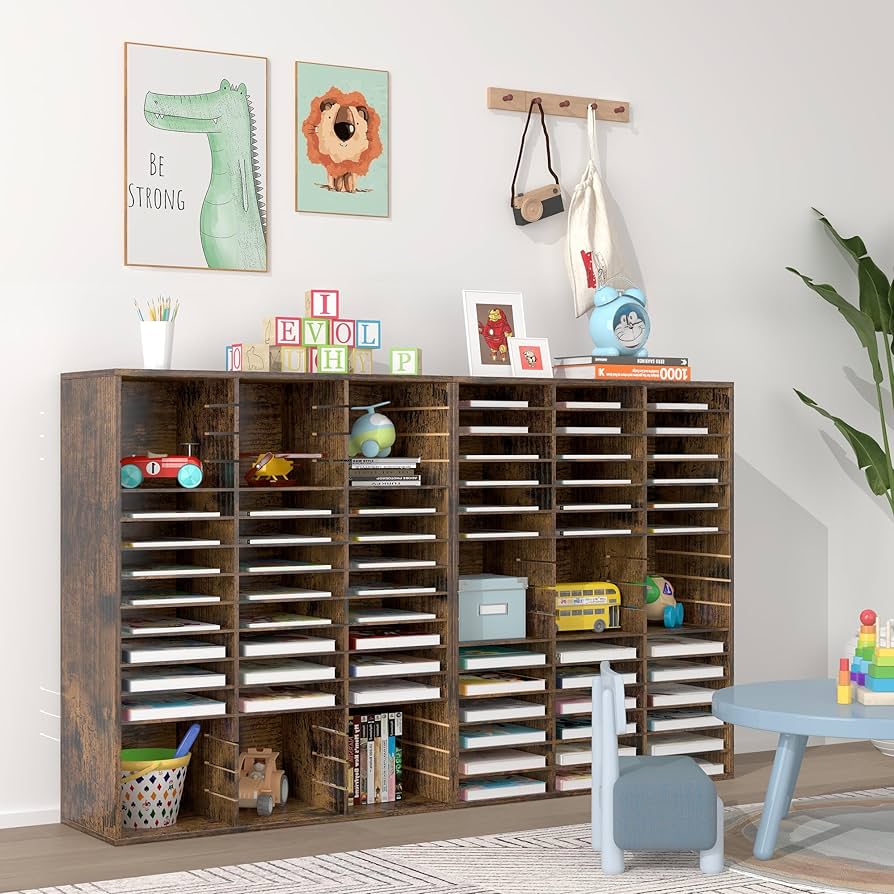
Trays and bins keep mail separated by type or priority. Use stackable trays to sort bills, letters, and junk mail. Label each tray for quick identification. Bins work well for larger items like magazines or packages. They help keep mail off your desk and floors. Choose trays and bins made of durable materials for long-term use.
Utilize Wall Organizers
Wall organizers save desk space and keep mail within reach. Mount pockets or grids on the wall near your workspace. Sort mail into different sections for easy access. Some wall organizers include hooks for keys or small tools. This setup keeps everything visible and prevents mail from piling up. Use colorful organizers to brighten your office and add a personal touch.
Digitize Important Documents
Digitizing important documents is a game changer for keeping your home office mail organized. Paper piles can quickly overwhelm your workspace and make it hard to find what you need. Scanning your documents not only saves space but also makes retrieval much faster and more efficient.
Scan And Store Securely
Start by choosing a good scanner or a scanning app on your phone that produces clear, readable files. PDFs are usually the best format because they keep the layout intact and are easy to share. Create folders on your computer labeled by categories like “Bills,” “Receipts,” or “Contracts” to keep everything tidy.
Once scanned, don’t just leave files scattered on your desktop. Store them in a secure location such as an encrypted folder or a trusted cloud storage service. This keeps your sensitive information protected from prying eyes and accidental loss.
Backup Digital Files
Backing up your digital documents is essential. Even the best storage can fail or be hacked. Consider using multiple backup options like an external hard drive and a cloud backup service.
Regularly updating your backups ensures you always have the latest versions. Ask yourself: if your computer crashed right now, how quickly could you recover your important mail documents? Taking a few extra minutes to back up files can save you hours of stress later.

Credit: www.amazon.com
Handle Junk Mail Efficiently
Handling junk mail efficiently keeps your home office neat and clutter-free. Junk mail piles up fast, making your workspace messy and hard to manage. Organizing this mail quickly saves time and reduces stress. It also helps protect your personal information from unwanted exposure.
Identify Junk Immediately
Sort mail right after collecting it. Look for advertisements, flyers, and offers. These usually do not need your attention. Separate them from important bills and letters. Use a simple tray or box labeled “Junk Mail.” This makes sorting easier and faster each day.
Check the sender carefully. If unknown or suspicious, treat it as junk. Avoid opening junk mail that asks for personal details. This reduces the risk of scams or identity theft.
Set Up Recycling Options
Recycle junk mail to avoid waste. Place a recycling bin near your mail area. This encourages immediate disposal of unwanted papers. Check local recycling rules for paper types accepted. Flatten envelopes and remove plastic windows if required.
Consider shredding sensitive junk mail before recycling. This protects your personal data. Use a shredder or tear papers into small pieces. Keep the recycling area tidy to maintain a clean workspace.
Maintain Consistency
Maintaining consistency is key to keeping your home office mail system running smoothly. Without regular attention, even the best setup can become chaotic over time. Staying consistent helps you avoid piles of unopened mail and missed deadlines, saving time and stress.
Regularly Review Mail System
Set a specific day each week to go through your mail system. Use this time to clear out old documents, file important papers, and shred what you no longer need. This habit prevents clutter from building up and keeps your system efficient.
Ask yourself: Does your current system still serve your needs? Sometimes what worked last month may not fit your workload today. Taking a few minutes to evaluate helps you stay on top of your organization.
Adjust For Changing Needs
Your mail volume and types of correspondence can change unexpectedly. You might start receiving more bills, packages, or newsletters that require different handling. Be ready to tweak your sorting categories or add new folders.
Consider adding a digital option if paper mail increases, like scanning important documents to reduce physical clutter. Adjusting your system keeps it relevant and prevents it from becoming overwhelming.

Credit: www.amazon.com

Credit: www.avery.com
Frequently Asked Questions
How Can I Sort Incoming Mail Efficiently?
Sort mail into categories like bills, personal, and junk. Use labeled trays or folders to keep items organized and easy to find.
What Are The Best Tools For Mail Organization?
Use tools like filing trays, accordion folders, and labels. These help keep mail visible, sorted, and reduce clutter in your home office.
How Often Should I Organize Mail In My Office?
Organize mail daily or at least twice a week. Regular sorting prevents pile-up and helps you stay on top of important documents.
How Do I Manage Junk Mail Effectively?
Immediately discard unwanted mail and unsubscribe from mailing lists. Use a designated bin for junk to keep it separate from important papers.
Conclusion
Organizing mail in your home office saves time and reduces stress. Use trays, folders, or bins to sort mail quickly. Set a daily routine to check and file mail. Keep important documents in one safe place. Clear clutter regularly to maintain order and focus.
Small steps make a big difference. Stay consistent and enjoy a tidy, efficient workspace.